Technical SEO
· 8 min read
HTTP 401 Error: Meaning, Causes & Fixes
See what an HTTP 401 error means, how it differs from 403 and how users or developers can fix authentication problems. Check the steps now.
Read article
Improve speed, mobile usability, navigation and content clarity to reduce friction and support search performance. Check the priority fixes.
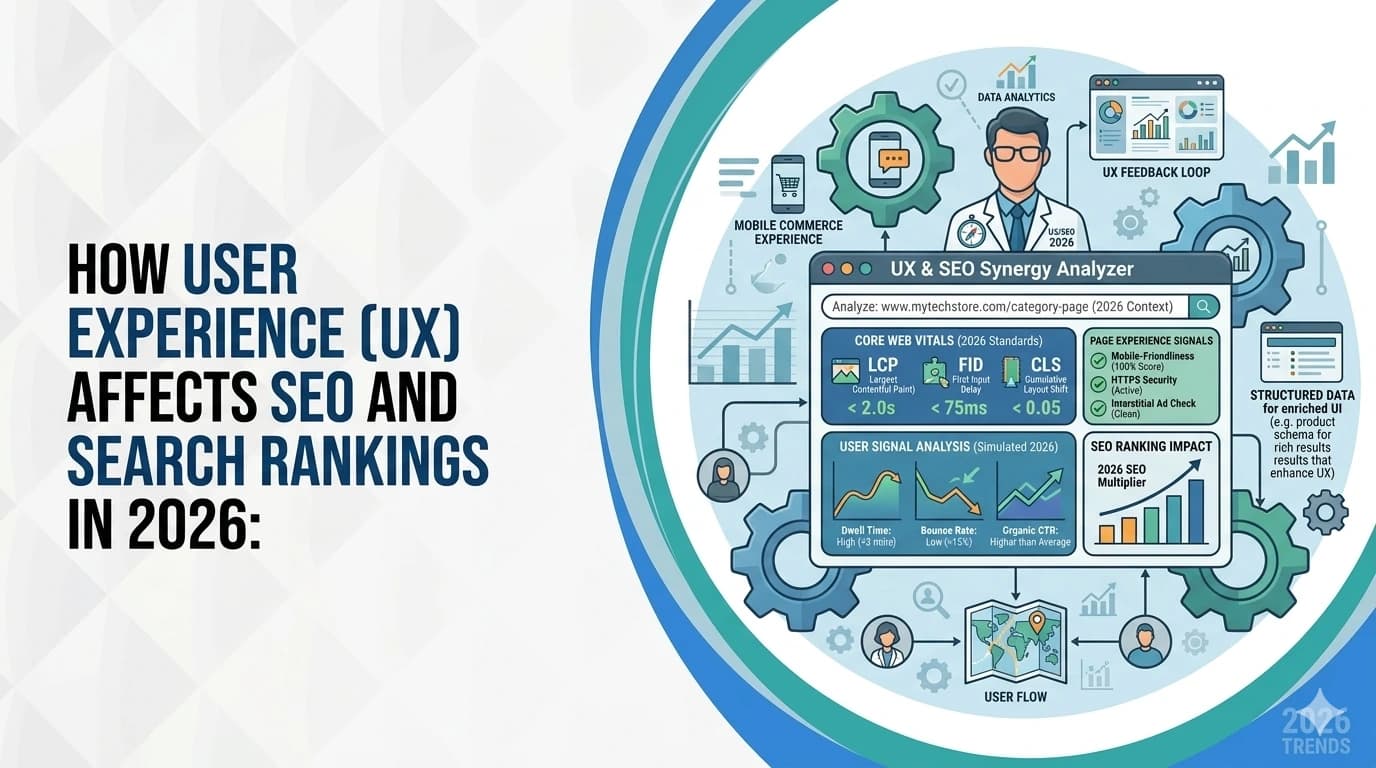
Search engines have grown up. In 2026, Google and Bing do not just look at keywords, backlinks, and technical SEO. They also look at how real people experience your website.
That changes the game!
When people land on your site, search engines can measure what happens next.
Those behaviours help search engines judge whether your page actually deserves visibility.
That is why understanding how user experience affects SEO is no longer optional. It is part of modern search performance.
A smooth website experience sends strong quality signals. A slow, confusing, or frustrating one does the opposite. If users struggle, rankings often follow. If users move through the site easily, engage with the content, and find the page useful, search engines are more likely to treat that page as valuable.
In this guide, we will break down the UX factors that influence SEO and search rankings in 2026.
User experience (UX) describes the impressions, emotions and satisfaction a visitor feels when interacting with a product or service.
For websites and apps, UX includes everything from layout and navigation to loading speed, readability and accessibility. As our experts explain, UX refers to a person's impressions and emotions when using a product or service; it covers practical, experiential and meaningful aspects of human-computer interaction.
A positive experience means things are easy to use and satisfying; poor UX frustrates visitors and causes them to abandon the site. Notably, research shows 88% of online shoppers are unlikely to revisit a site after poor usability, underscoring the commercial impact of UX.
People often mix up UX and UI, but they are not the same thing.
UI, or user interface, is what people see and interact with on a website. That includes buttons, colours, fonts, spacing, icons, and page layouts. In simple terms, UI is the visual layer.
UX, or user experience, is the overall feeling of using the site. It covers how easy the website is to understand, how fast it loads, how smooth the navigation feels, how clearly the content is organised, and how easily a visitor can complete a task.
Here is the easiest way to think about it:
UI is how the website looks. UX is how the website works.
Example: a stylish homepage with bold visuals and fancy buttons may look impressive at first glance. But if users cannot find the pricing page, the site loads slowly on mobile, or the text is hard to read, they will likely leave. Search engines may read that poor behaviour as a sign that the page is not helping users well enough.
Search engines keep getting better at spotting websites that genuinely help people. In 2026, ranking well is not just about matching keywords. It is also about delivering a smooth, useful experience once someone lands on the page.
That is where UX and SEO start to overlap.
Let us look at how it influences rankings, engagement, and overall visibility.
Search engines monitor behavioural metrics such as bounce rate (the percentage of visitors who leave after viewing one page) and dwell time (the time spent on a page before returning to the search results). High bounce rates and short dwell times signal that content may not be relevant or engaging. Conversely, longer sessions and deeper navigation indicate that users find value in your content.
The bounce rate formula: single-page visits divided by total visits shows that bounce rates decrease when visitors explore multiple pages. To reduce bounce rate and increase dwell time:
Page speed is a confirmed ranking factor for both desktop and mobile searches. Studies show that ideal load times should not exceed 2.5 seconds; otherwise, users return to the search results and your conversion rate drops. Google's Core Web Vitals measure key aspects of UX such as Largest Contentful Paint (LCP), Cumulative Layout Shift (CLS) and Interaction to Next Paint (INP). Low performance on these metrics leads to more users leaving the page and lower SEO rankings.
The average load time on desktop is 2.5 seconds and 8.6 seconds on mobile. Fast pages also improve business metrics, Walmart found conversion rates increase by 2% for every second of improvement in page load time. To optimise page speed:
Mobile devices drive more than half of global web traffic.
Statistics Canada says internet use among Canadians aged 15+ reached 95% in 2022 and it continues to grow. Google's mobile-first indexing now uses the mobile version of a site for ranking and indexing. A responsive design ensures that content adapts to different screen sizes and that navigation elements are tap-friendly. The Baymard Institute's Mobile UX study found that 66% of mobile websites have tappable elements placed too closely, making navigation difficult. It also found high percentages of sites lacking optimized keyboard layouts and well-styled error messages. Address these issues by:
Clear navigation helps users find information quickly and signals to search engines how content is organised. Pages should be accessible within four clicks from the homepage, and internal links should distribute authority to important pages.
Consider these practices:
Search engines assess content quality based on how well it satisfies search intent. High-quality copy guides users around your site without forcing them to search too hard. If users can't find what they need, they will leave, signalling low relevance. To enhance content quality:
Accessibility ensures your site caters to all users, including those with disabilities. A well-designed user experience does more than please search engines; it caters to diverse needs. Improving accessibility also broadens your reach and enhances usability. To improve accessibility:
User experience doesn't just influence rankings; it affects your ability to convert visitors into customers. UX design directly impacts conversion rates, clear calls-to-action, fast loading pages, and intuitive navigation encourage desired actions. Poor UX, such as non-responsive design, hidden CTAs, or cumbersome forms, reduces conversions and increases bounce rates. To optimise conversion:
Data informs decisions. Tracking the right metrics helps you measure the impact of UX improvements on SEO.
Pro tip: Track the effect of speed improvements on conversion rates; even a one-second reduction can lead to a 2-3x increase in conversions.
In 2026, the link between UX and SEO is no longer up for debate. Search engines reward websites that are fast, easy to use, mobile-friendly, and genuinely helpful.
That means better user experience does more than make a site look polished. It improves how people interact with your pages, how long they stay, how easily they find what they need, and how likely they are to take action. Those outcomes support stronger search performance and better business results at the same time.
Want to see where your site is helping users and where it is quietly losing them? Start with a website audit and uncover the UX issues that may be holding back your SEO performance. For expert guidance tailored to your business, contact the team at Local SEO Mississauga and build a site that is easier to use, easier to trust, and easier to rank.
Great UX reduces bounce rate, increases dwell time and encourages engagement. These behavioural signals tell search engines your content is relevant and trustworthy. Conversely, poor usability causes users to leave quickly, signalling low quality.
Key factors include page speed, mobile responsiveness, intuitive navigation, high-quality content, accessibility and clear CTAs. Addressing these areas improves user satisfaction and search rankings.
UX itself isn't a direct ranking factor, but it influences many signals, bounce rate, dwell time, click-through rate and Core Web Vitals, that search engines use to determine rankings. Improving UX indirectly boosts SEO.
Track behavioural metrics (bounce rate, dwell time, average engagement), technical metrics (Core Web Vitals, click depth, internal link distribution) and conversion rates. Use GA4, PageSpeed Insights and heatmap tools to gather data.
No. A responsive design that adapts to any screen is recommended. Google uses mobile-first indexing, so your primary site should be optimised for mobile devices.
Get a free SEO audit and a clear, prioritized plan for your Mississauga business — no long-term contract required.
Get a Free SEO Audit· 8 min read
See what an HTTP 401 error means, how it differs from 403 and how users or developers can fix authentication problems. Check the steps now.
Read article· 11 min read
Improve brand mentions in ChatGPT, Gemini and AI Overviews with stronger entities, citations and answer-ready content. Use the 2026 checklist.
Read article· 14 min read
Build a keyword plan around search intent, competition and business value, then map terms to the right pages. Follow the step-by-step process.
Read article