Technical SEO
· 8 min read
HTTP 401 Error: Meaning, Causes & Fixes
See what an HTTP 401 error means, how it differs from 403 and how users or developers can fix authentication problems. Check the steps now.
Read article
Add your website to Google Search Console and Bing Webmaster Tools, submit sitemaps and request indexing. Follow each submission step.
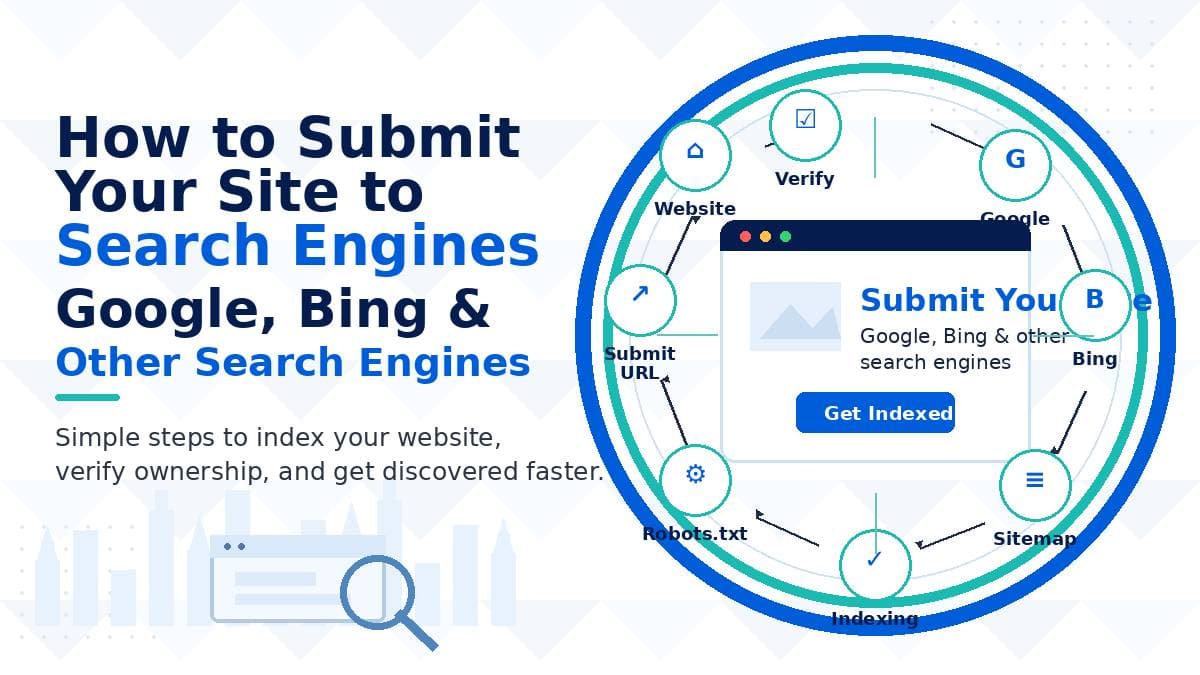
To submit your site to search engines, add your website to Google Search Console and Bing Webmaster Tools, then submit your XML sitemap for indexing.
This helps Google, Bing, and other search engines find your pages faster, understand your website structure, and show your content in search results sooner.
You finally launched your website. The design looks sharp, the buttons work, and the homepage is ready to impress. Then you search your business on Google and… nothing. Not even a tiny digital footprint.
Do not panic. Your website is not broken. Search engines may simply not know it exists yet. That is where website submission comes in. It is your polite way of saying, "Hello Google, hello Bing, please come visit my site."
In this guide, we will show you how to submit your website, submit your sitemap, request indexing for important pages, and avoid common mistakes that stop new websites from showing in search results.
If you want Google to find, understand, and index your website, Google Search Console should be one of the first tools you set up.
Google Search Console is a free platform provided by Google that allows website owners to communicate directly with Google's search engine. Instead of waiting for Google to discover your pages naturally, you can submit important information about your website and monitor how it performs in search results.
With Google Search Console, you can:
Think of it as your website's control panel for Google. If your goal is to submit your site to search engines and improve organic visibility, Google Search Console is the most important free SEO tool available.
Technically, search engines can find websites on their own.
Google's crawlers constantly discover new pages through links and sitemaps.
However, waiting for Google to find your website naturally is like opening a new restaurant and hoping customers accidentally walk in through the kitchen.
Submitting your website gives search engines a direct invitation.
According to Google's official documentation, website owners can submit sitemaps and request indexing through Google Search Console.
Similarly, Bing allows website owners to submit URLs and sitemaps through Bing Webmaster Tools.
Bottom line:
Yes, search engines can find your website.
But if you want faster discovery, quicker indexing, and better visibility, you should absolutely submit your site to search engines.
Think of search engines as giant digital libraries.
When you submit your website, you are essentially telling the librarian:
Hey, I have a new book. Please add it to the catalog.
The process usually involves:
Important note:
Submission does not guarantee rankings.
It only helps search engines discover your content faster. Rankings still depend on quality, relevance, authority, user experience, and competition.
Add your website as a property inside Google Search Console.
You can verify ownership using:
Most websites already have a sitemap.
Common examples:
Google recommends submitting your sitemap through Search Console.
Done.
That was easier than resetting your WiFi password.
Published a new page?
Use Google's URL Inspection Tool.
Google states that website owners can inspect URLs and request indexing directly from Search Console.
This is one of the fastest ways to submit page to search engines after publishing.
Many business owners ignore Bing.
That is a mistake.
Bing powers search experiences across Microsoft products and contributes to many AI-powered search ecosystems. Recent Bing documentation also highlights URL submission tools and sitemap support.
Use:
Bing Webmaster Tools
You can even import verified properties from Google Search Console.
Options include:
Bing allows website owners to submit XML sitemaps directly through Webmaster Tools.
Add:
Then submit.
Bing provides a URL Submission feature that allows website owners to submit URLs directly for indexing. Bing documentation notes that verified sites can submit large numbers of URLs daily.
This is especially useful when:
Google and Bing cover the overwhelming majority of search visibility opportunities.
However, you can also help other search engines discover your site through:
Add:
Sitemap: https://yourdomain.com/sitemap.xml
Google officially recommends this method as another way to make sitemaps available.
Search engines discover pages through links.
A page with no links pointing to it is like hiding a billboard inside a closet.
When reputable websites link to your content, search engines discover pages faster.
This remains one of the most effective indexing signals.
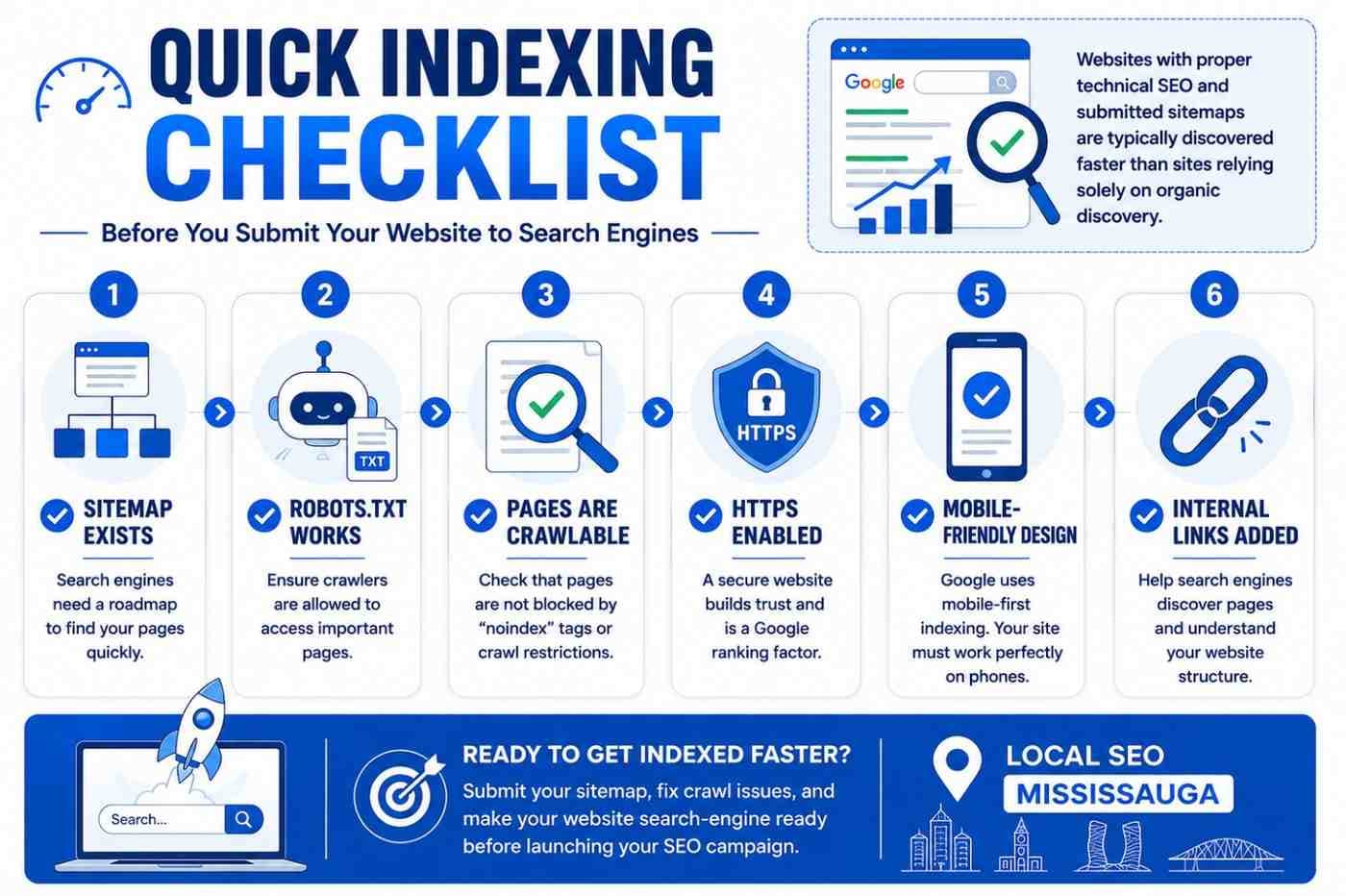
Submitting your website sounds simple, but a few small mistakes can slow down indexing. Before you rush to tell Google and Bing about your site, make sure your website is actually ready for visitors and crawlers.
Do not submit your website while it still has:
Search engines can crawl these pages and form an early understanding of your website. So yes, even robots notice messy first impressions.
Your sitemap helps search engines understand which pages exist on your website.
Without it, crawlers may still find your pages, but it can take longer. Important pages may also get missed if your internal linking is weak.
Before submission, make sure your sitemap is live, updated, and submitted through Google Search Console and Bing Webmaster Tools.
This happens more often than people think.
A wrong setting in your robots.txt file or a forgotten "noindex" tag can stop search engines from crawling or indexing your pages.
Before you submit your site, check that your important pages are open for crawling.
Clicking "request indexing" every few minutes will not make Google move faster.
Google has clearly stated that repeated crawl requests do not speed up the process. Submit the page once, make sure it is technically clean, and give search engines time to process it.
SEO rewards patience.
Sadly, not the dramatic kind where you stare at Search Console every 11 seconds.
Google gets most of the attention, but Bing still matters.
Bing powers search results across Microsoft products and can bring valuable traffic, especially for business and local searches.
If you only submit your website to Google, you are leaving another search channel untouched. Your competitors may not complain about that. They may even send you a thank-you card.
Most blogs stop at Google and Bing.
Here is what they miss.
Today, your content may also appear through:
That means website submission alone is not enough.
You also need:
The websites getting indexed fastest often make life easier for both users and search engines.
The answer nobody likes:
It depends.
Some pages get indexed within hours.
Others take days or weeks.
Factors include:
Submitting your website helps speed up discovery but does not guarantee instant indexing.
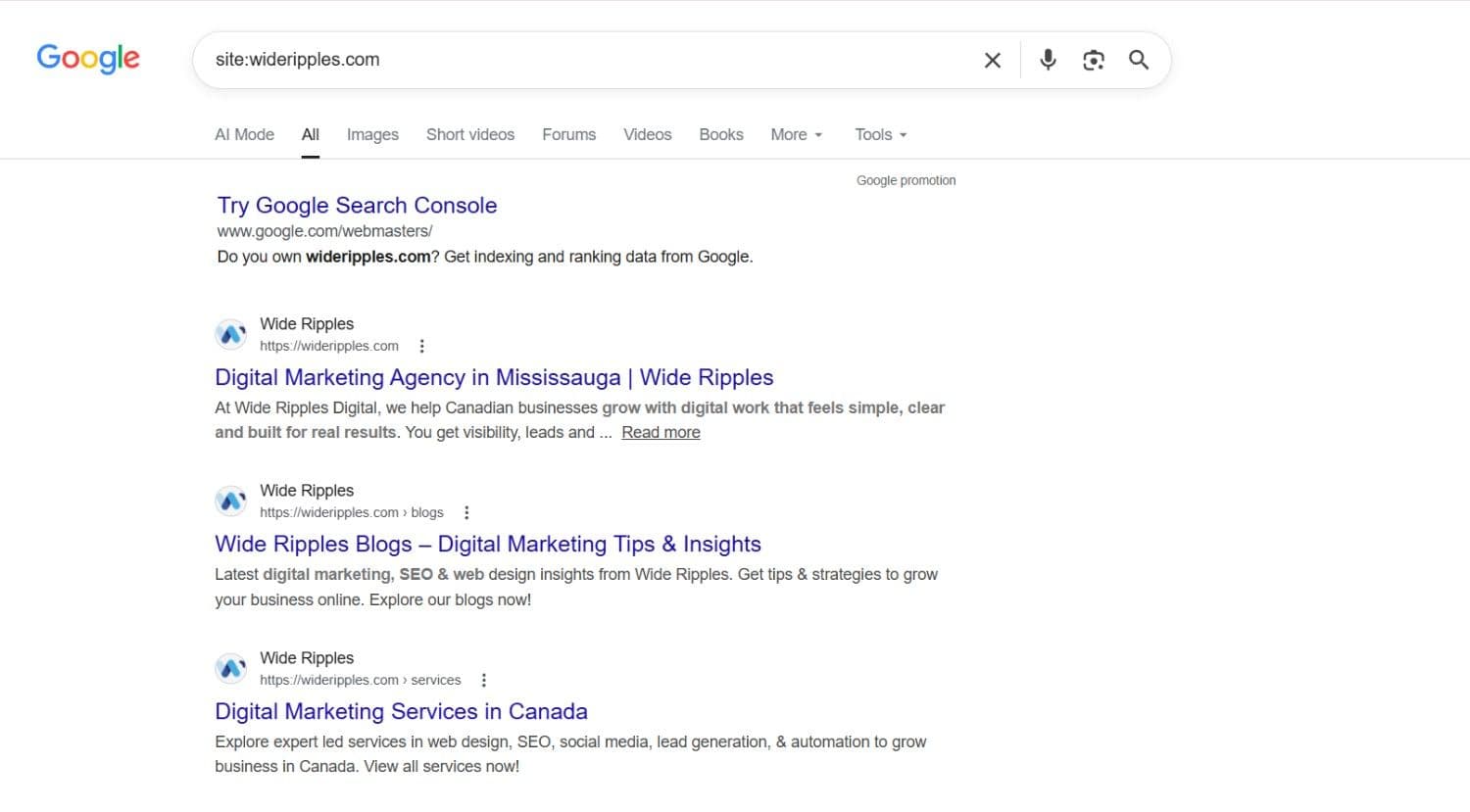
Use this Google search:
site:yourdomain.com
Example:
site:wideripples.com
If pages appear, Google has indexed them.
You can also verify indexing status inside Search Console using URL Inspection.
This is where many businesses get confused.
They successfully submit my website to search engines.
Pages get indexed.
Traffic stays at zero.
Why?
Because indexing and ranking are different.
A page can be indexed and still never appear prominently.
To rank well, you need:
This is where a proper SEO strategy matters.
Submitting your website is not a magic ranking button, but it is an important first step. When you submit your site to search engines, you help Google, Bing, and other platforms find your pages faster and understand your website structure.
After that, the real SEO work begins.
Your website needs helpful content, clean technical SEO, strong internal links, local signals, and regular updates to compete in search results. Think of submission as opening the door. SEO is what convinces people, and search engines, to walk in.
For businesses in Mississauga, showing up online is not optional anymore. Your customers are already searching for services near them. The question is whether they find you or your competitor first.
Need help improving your local visibility?
Our Local SEO Mississauga services help businesses improve Google rankings, appear in local searches, and attract more nearby customers.
You can submit your site by adding it to Google Search Console and Bing Webmaster Tools, then submitting your XML sitemap.
Yes. Google Search Console and Bing Webmaster Tools are free to use.
No. Submit your sitemap first. You can manually request indexing for important new or updated pages.
Indexing can take a few hours, days, or weeks. It depends on your website quality, crawlability, sitemap, and SEO setup.
No. Submission helps search engines find your pages. Rankings depend on content quality, SEO, backlinks, user experience, and competition.
A sitemap is a file that lists important pages on your website. It helps search engines crawl your site more efficiently.
Your site may have crawl errors, noindex tags, weak content, poor internal links, or technical SEO issues.
Yes. Bing can bring extra traffic and powers search results across Microsoft products.
Yes. You can use Google Search Console's URL Inspection Tool and Bing's URL Submission tool.
Monitor indexing, fix crawl errors, add internal links, improve content, and build a proper SEO strategy.
Get a free SEO audit and a clear, prioritized plan for your Mississauga business — no long-term contract required.
Get a Free SEO Audit· 8 min read
See what an HTTP 401 error means, how it differs from 403 and how users or developers can fix authentication problems. Check the steps now.
Read article· 11 min read
Improve brand mentions in ChatGPT, Gemini and AI Overviews with stronger entities, citations and answer-ready content. Use the 2026 checklist.
Read article· 14 min read
Build a keyword plan around search intent, competition and business value, then map terms to the right pages. Follow the step-by-step process.
Read article