Technical SEO
· 8 min read
HTTP 401 Error: Meaning, Causes & Fixes
See what an HTTP 401 error means, how it differs from 403 and how users or developers can fix authentication problems. Check the steps now.
Read article
See how to get your Google review link, ask customers the right way, avoid guideline violations, and respond to what comes in. Check the guide.
A customer just walked out happy. The job's done, the invoice is paid, and in about ten seconds that goodwill either turns into a five-star review or evaporates the moment they get in their car. Most businesses lose that window every single time, not because customers don't want to leave a review, but because nobody ever actually asked.
Getting Google reviews isn't complicated, but it is easy to get wrong. Ask the wrong way, at the wrong time, or try to shortcut the process with incentives, and you risk violating Google's guidelines entirely, which can mean losing the reviews you already have.
This guide covers how to get your direct Google review link, the best way to actually ask for reviews, what Google explicitly prohibits, how to respond to what comes in, and how to automate the whole thing so it doesn't depend on remembering every single time.
Google reviews matter because they're one of the strongest prominence signals in local search rankings, and because they're often the deciding factor for a customer choosing between you and a competitor before they've spoken to either business.
Review count, average rating, and recency all feed into how Google evaluates a business's prominence, one of the three pillars behind local search rankings. A steady trickle of new reviews signals an active, real business in a way a stagnant review count from two years ago simply doesn't.
Rankings aside, reviews are doing real work before a customer ever picks up the phone. A business with 4 reviews and one with 140 reviews at the same star rating read completely differently to someone scrolling the map pack, and that gap in perceived trust closes or loses the call before your website even loads.
Get your Google review link from your Google Business Profile dashboard under the "Ask for reviews" option, which generates a short, shareable URL that takes customers directly to the review form for your listing, no searching required.
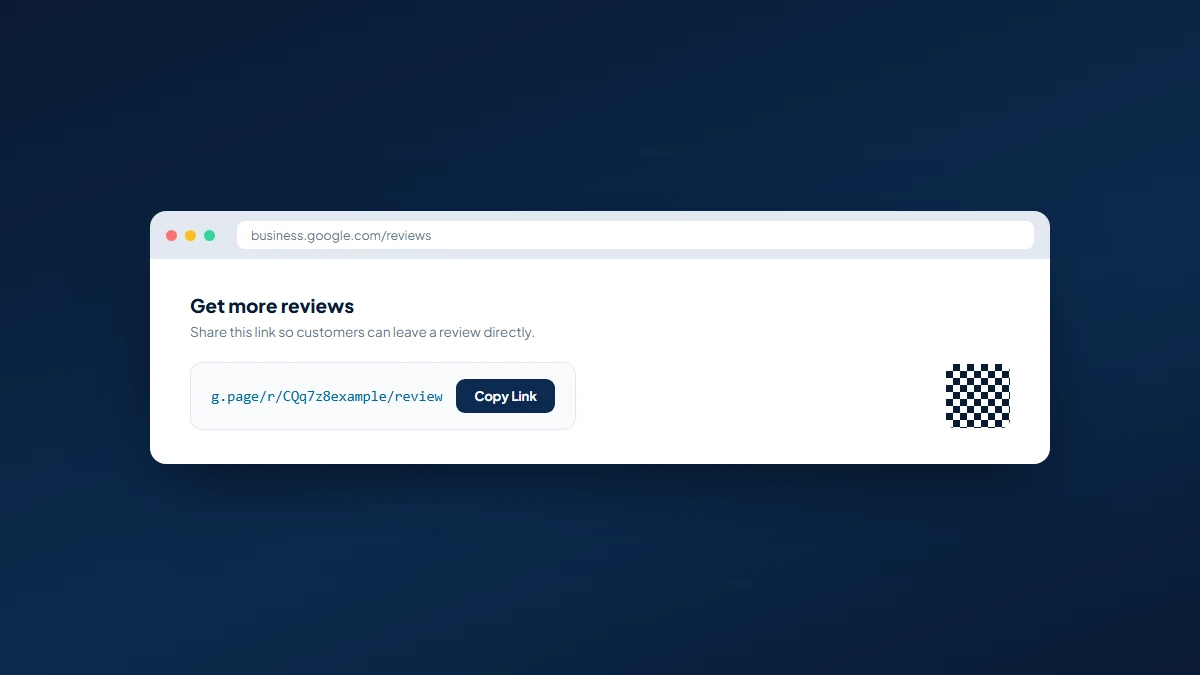
That last step matters more than it sounds. A broken or outdated link is one of the quietest ways a review request campaign fails, and it's worth checking again any time you rebrand, change ownership, or update your listing through a Google Business Profile optimization pass.
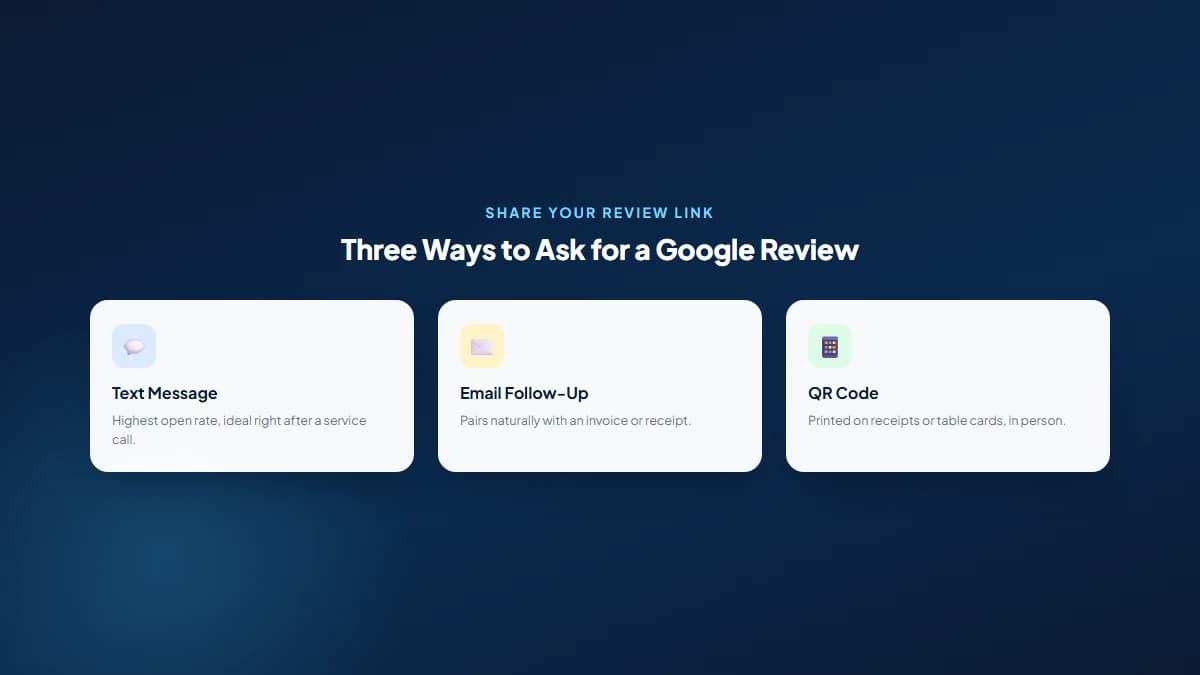
The best way to ask for a Google review is immediately after a positive interaction, in whatever channel is easiest for that customer to act on right then, whether that's a text message with the direct link, a follow-up email, or a QR code sitting on the counter or invoice.
The single biggest lever in getting reviews isn't the wording of the ask, it's the timing. A request sent within an hour of a completed job or a positive interaction converts far better than one sent a week later as a generic follow-up, because the good feeling that motivates a review fades fast.
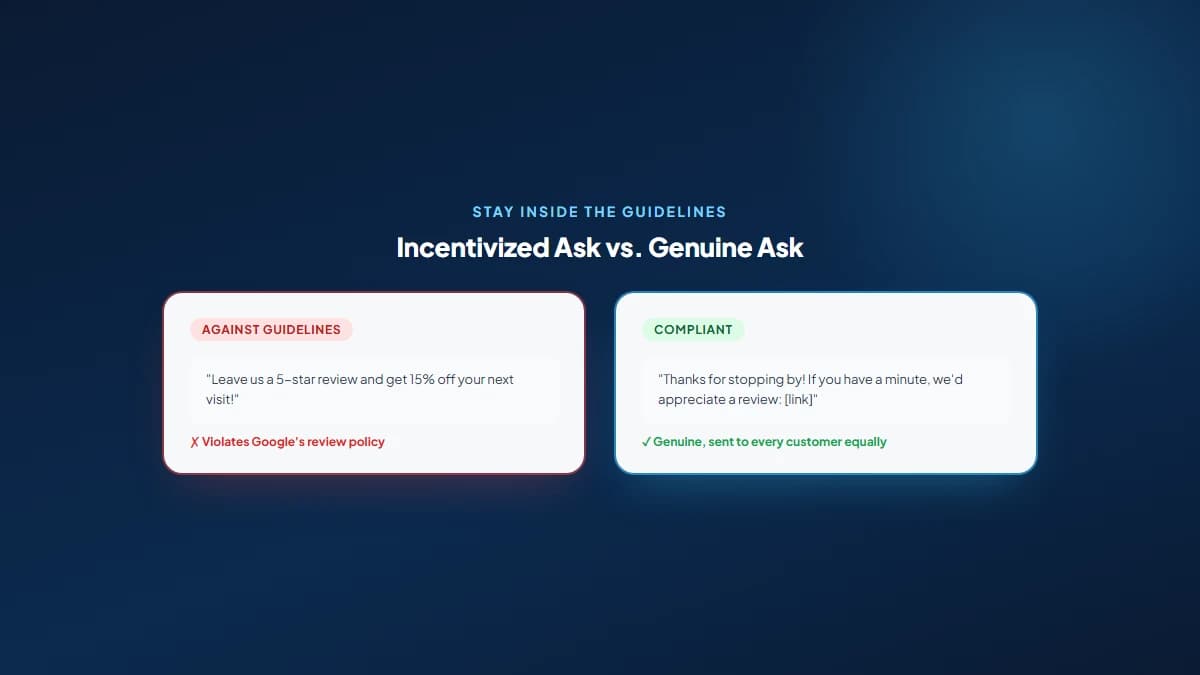
Google explicitly prohibits offering incentives for reviews, review gating (asking only happy customers while filtering out unhappy ones before they can post publicly), buying reviews, and swapping reviews with other businesses, and violating these rules risks having reviews removed or your profile suspended entirely.
| Tactic | Why It Violates Guidelines |
|---|---|
| Offering discounts or gifts for reviews | Reviews become paid endorsements, not genuine feedback |
| Review gating (only asking happy customers) | Creates an artificially inflated, unrepresentative rating |
| Buying reviews from a third-party service | Fake accounts and content, a direct policy violation |
| Review swapping with other businesses | Reviews aren't based on a real customer experience |
| Posting reviews for your own business | A conflict of interest Google explicitly bans |
Respond to every Google review you can, positive or negative, since a response is itself a signal of an active, engaged business, and a thoughtful reply to a negative review often does more for your credibility with future customers than the review itself does damage.
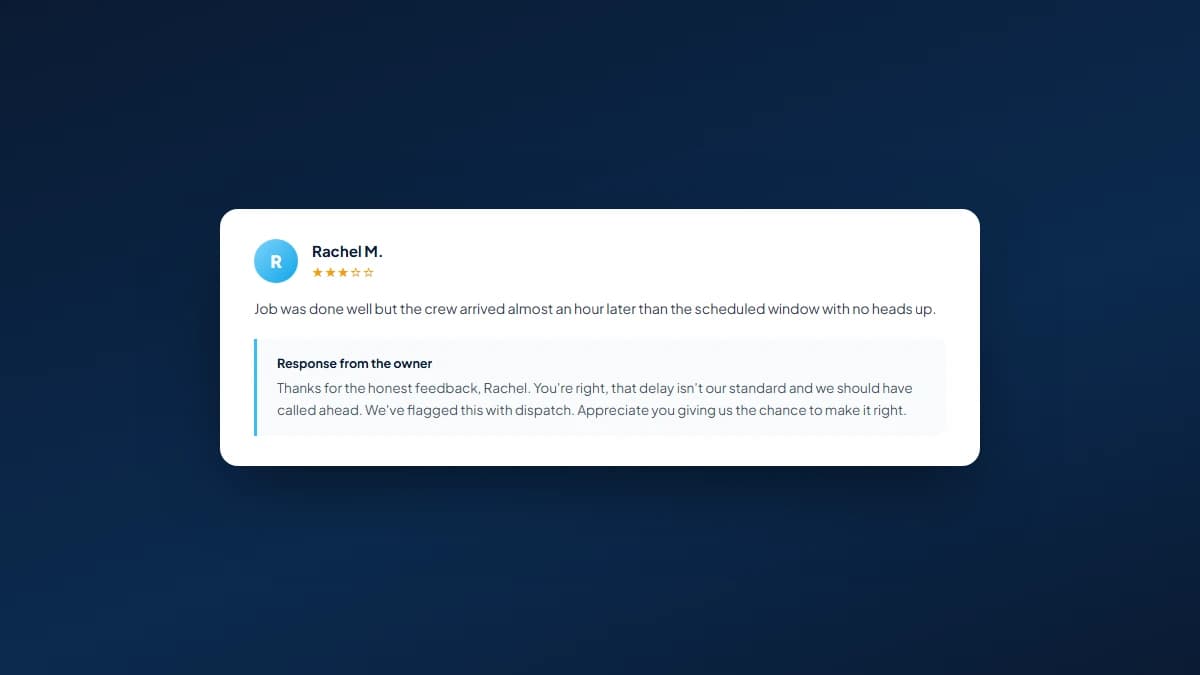
Keep it short, specific, and genuine. Thanking someone by name and referencing what they mentioned reads far better than a copy-pasted "Thanks for your review!" repeated under every single entry, which starts to look automated fast to anyone scrolling through your profile.
Acknowledge the specific issue, keep the tone calm and professional, and move the resolution offline with a phone number or email rather than arguing in the comments. If a review is fake, spam, or clearly violates Google's policies, you can flag it for removal through Google's official reporting process, but a genuinely negative review from a real customer generally isn't going anywhere, no matter how unfair it feels.
Automate Google review requests by triggering a text or email with your review link automatically after a job is marked complete, an invoice is paid, or an appointment ends, so the ask happens consistently without relying on someone remembering to send it manually every time.
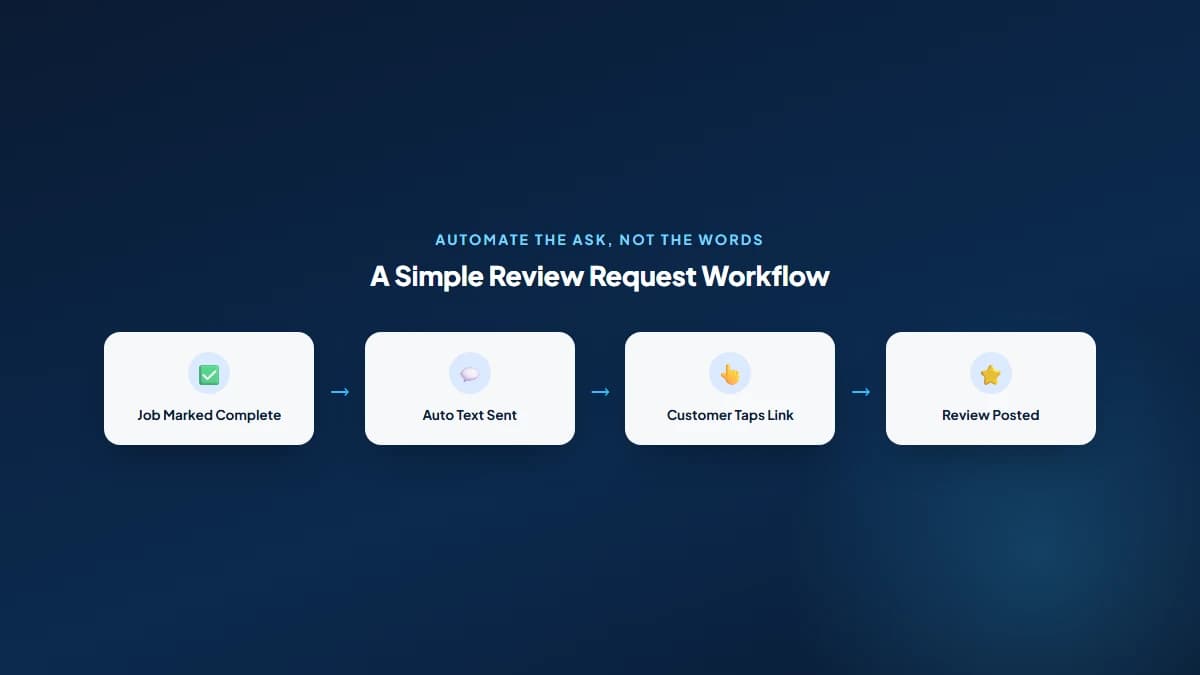
Automation solves consistency, not quality. A system that blasts the same generic text to everyone still outperforms no system at all, but pairing it with genuine, specific responses once reviews land is what actually builds the kind of profile that supports real local SEO for small businesses rather than just a higher number.
No. More reviews improve your odds and strengthen prominence, one of Google's three core local ranking factors, but a competitor with fewer reviews and stronger relevance or proximity signals can still outrank you, and a flood of reviews collected against Google's guidelines can get your profile penalized instead of helped.
Reviews work best as one part of a complete picture: a well-categorized Google Business Profile, consistent citations, a website that backs up what the profile promises, and a steady, honest flow of reviews collected the right way. That combination is exactly what we build into every local SEO engagement, rather than treating reviews as a standalone fix.
No. Google's guidelines explicitly prohibit incentivizing reviews with discounts, gifts, or any other reward. Doing so risks having the reviews removed and your Business Profile suspended if Google detects the pattern.
Most reviews appear within a few minutes to a few hours, though Google's spam filters occasionally delay or hold a review for further checks, especially from newer Google accounts with little activity history.
Only if it violates Google's policies, such as being fake, spam, or posted by someone with no genuine connection to your business. You can report it for review, but a real customer's honest negative experience generally stays up even if you disagree with it.
Ask every customer equally. Deliberately filtering out unhappy customers before asking, known as review gating, violates Google's guidelines and creates a rating that doesn't reflect real customer experience.
Responses signal an active, engaged business and influence how future customers read your profile, especially on negative reviews where a calm, specific response can offset most of the damage the review itself might otherwise do.
There's no fixed number, since it depends heavily on what competitors in your specific area and category already have. A useful benchmark is simply staying ahead of, or close to, the businesses currently outranking you in the map pack.
Get a free SEO audit and a clear, prioritized plan for your Mississauga business — no long-term contract required.
Get a Free SEO Audit· 8 min read
See what an HTTP 401 error means, how it differs from 403 and how users or developers can fix authentication problems. Check the steps now.
Read article· 11 min read
Improve brand mentions in ChatGPT, Gemini and AI Overviews with stronger entities, citations and answer-ready content. Use the 2026 checklist.
Read article· 14 min read
Build a keyword plan around search intent, competition and business value, then map terms to the right pages. Follow the step-by-step process.
Read article