Technical SEO
· 8 min read
HTTP 401 Error: Meaning, Causes & Fixes
See what an HTTP 401 error means, how it differs from 403 and how users or developers can fix authentication problems. Check the steps now.
Read article
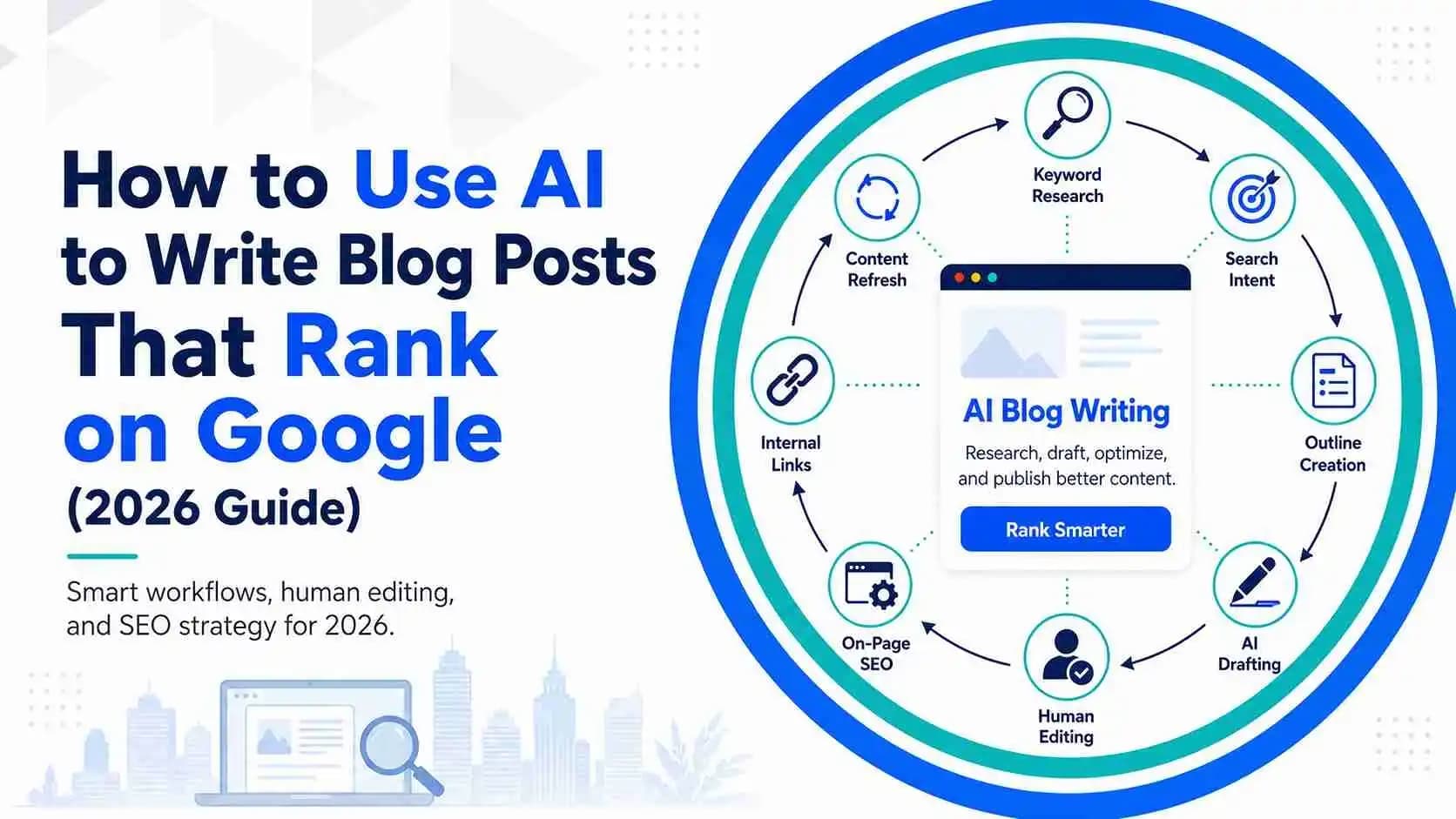
Use AI for research, outlines and drafting without publishing thin content. Follow a human-edited workflow built to rank and convert.
Mississauga companies do not grow from clever search-engine tricks. They grow when every part of their online presence – their Google profile, website pages, reviews, helpful content and local trust signals – all support what local buyers are searching for. People look for specific services, not vague marketing claims. This 2026 guide offers ten proven SEO tips to help small businesses in Mississauga gain more visibility, better clicks and more calls from real customers. The goal is not abstract traffic; it is to bring in buyers who live and work in your neighbourhood. You will also find a link to how to create high-performing location pages, showing how well-structured local pages can turn a searcher into a customer.
Almost half of all Google searches have local intent, and more than a quarter of those local searches lead to a purchase within a day. For a business in Mississauga, this means that ranking for a broad term like "plumbing tips" may look impressive but might not bring callers. Ranking for "emergency plumber Mississauga" speaks directly to someone in need. Targeting local search intent means understanding the problems your neighbours face and the words they use when looking for help. Service-plus-location phrases such as "law firm Mississauga" or "hotel near Square One" make it clear what you offer and where you are.
Start by identifying the services you provide and the areas you serve. Break those services into subcategories that people actually search for – "roof leak repair in Meadowvale" or "family dentist in Clarkson." Use free tools like Google's "People also ask" boxes to see the questions people ask and answer them directly on your site. When you focus on buyer intent, you compete in a smaller, more relevant market rather than chasing national traffic that rarely converts.
Your Google Business Profile (formerly Google My Business) is often the first place a local shopper sees you. According to industry research, customers are about 70 percent more likely to visit a business with a complete and optimized Google profile. A profile that lists the correct categories, services, hours, photos and posts makes you look trustworthy and helps you appear in the map pack when people search nearby. By contrast, 62 percent of consumers will avoid a business if they find incorrect information online.
To optimize your profile:
A complete Google Business Profile not only earns clicks and calls but also signals to search engines that your business is active and reliable.
Many businesses build a single "Services" page and hope it ranks for everything. A better approach is to create individual pages for each core service and to write them as if you were talking to a neighbour. Each page should clearly state what you do, who you serve and why someone should call you. Use headlines and subheadings (H1, H2, H3) that follow a logical structure so Google and readers can easily follow your page. Our internal article on heading structure explains why clear hierarchy matters for search and accessibility.
On each service page:
By focusing each page on one service and writing to the reader's problem, you improve both rankings and conversions. Good service pages are not just about keywords; they help real people decide to contact you.
Businesses that serve multiple neighbourhoods often create duplicate pages with only the city name swapped. Search engines treat these as thin or doorway pages and rarely rank them. High-performing city pages, by contrast, provide unique information about each location. Experts recommend that 40–60 percent of a location page's content should be unique to that location. That means adding details about the local branch, staff, services, neighbourhood highlights, parking information and community involvement.
When building city pages:
Avoid copying and pasting content from one city page to another. Unique, helpful pages not only rank better but also give visitors enough information to contact or visit your local office.
Word-of-mouth has moved online. Most shoppers now read reviews before choosing a local business. A well-maintained review profile can make customers 2.7 times more likely to trust your business. Reviews also feed into the Google algorithm; businesses with more positive, recent reviews often rank higher in the local pack.
Here is how to use reviews effectively:
Remember that the quality and recency of reviews matter more than the sheer number. Encourage honest feedback and improve your service based on customer suggestions.
People are impatient. Google reports that 53 percent of mobile visits are abandoned if pages take longer than three seconds to load. Slow pages lead to high bounce rates and lost calls. Technical problems like broken links, unresponsive designs or messy code also make your site difficult for both users and search engines.
To tighten your technical SEO:
Technical SEO may seem invisible, but it quietly supports everything else. A fast, clean site keeps visitors engaged long enough to contact you.
Search engines look at specific parts of your page to understand its topic. Buyers skim pages looking for proof that they are in the right place. Place your local keywords where both readers and algorithms naturally look: in the page title, the first paragraph, headings, image alt text and the URL. If you are optimizing a service page for "hotel Mississauga," use that phrase in the page title and headline, then describe the amenities and location in the opening paragraph.
However, avoid keyword stuffing. Google warns that natural language works better than forced repetition. Instead of repeating the exact phrase, use variations and related terms: "Mississauga hotel," "lodging near Port Credit," "rooms in Square One area." For long-tail searches like "ecommerce SEO tips" or "law firm SEO tips," create dedicated paragraphs or blog posts that answer those specific queries. Include these secondary keywords naturally within sentences so they read like helpful advice rather than a checklist. This approach helps beginners and seasoned marketers alike because it matches how real people speak and search.
Internal links connect the pages on your site. They help readers find related information and show search engines how your content is organized. A good internal linking strategy pushes authority from your home page to service pages, city pages and blog posts. It also keeps visitors engaged longer, which signals quality to Google.
To build strong internal links:
Proper internal linking helps search engines understand the relationship between your pages and spreads ranking potential across your site.
Blog posts, FAQs and guides can attract visitors who are not yet ready to buy but want answers. Well-written content helps you build authority and trust. It also gives you opportunities to target secondary keywords like "blog SEO tips," "SEO tips for beginners," "seo tips for hotels" or "free SEO tips." Choose topics that answer real questions from your customers. For example, if clients often ask how long SEO takes or why their rankings fluctuate, write a post explaining those points in simple terms.
When creating content:
Helpful content supports your service pages by attracting visitors, answering their questions and building trust. Over time it raises your overall authority and improves your rankings for competitive keywords.
Ranking higher is not the end goal. The real measure of SEO success is the calls, leads and bookings you receive. Tracking these actions helps you understand which efforts deliver results. Without tracking, you might waste time on activities that bring traffic but no sales.
Set up call tracking on your phone number and contact forms. Use unique phone numbers or tracking codes for different campaigns so you know where calls come from. Google Business Profile provides insights on how many people view your listing, request directions or click the call button. Combine this data with website analytics tools to see which pages lead to inquiries. If you run ads or email campaigns, tag the links so you can track conversions in Google Analytics.
Regularly review these reports. Look for patterns: which pages bring the most calls? Do certain keywords or posts drive more bookings? Adjust your strategy based on what you find. By measuring actions rather than just rankings, you can make smarter decisions and grow your business steadily.
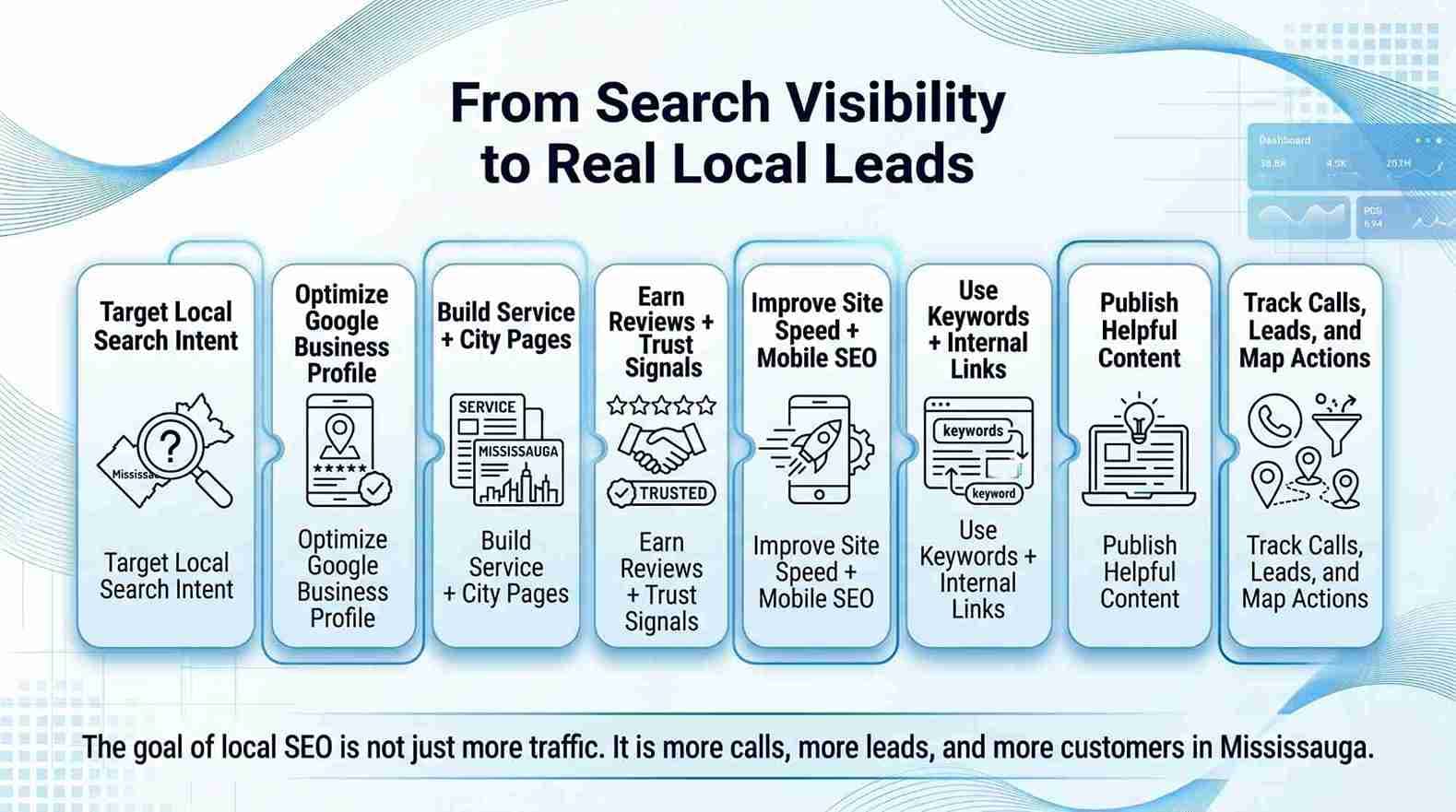
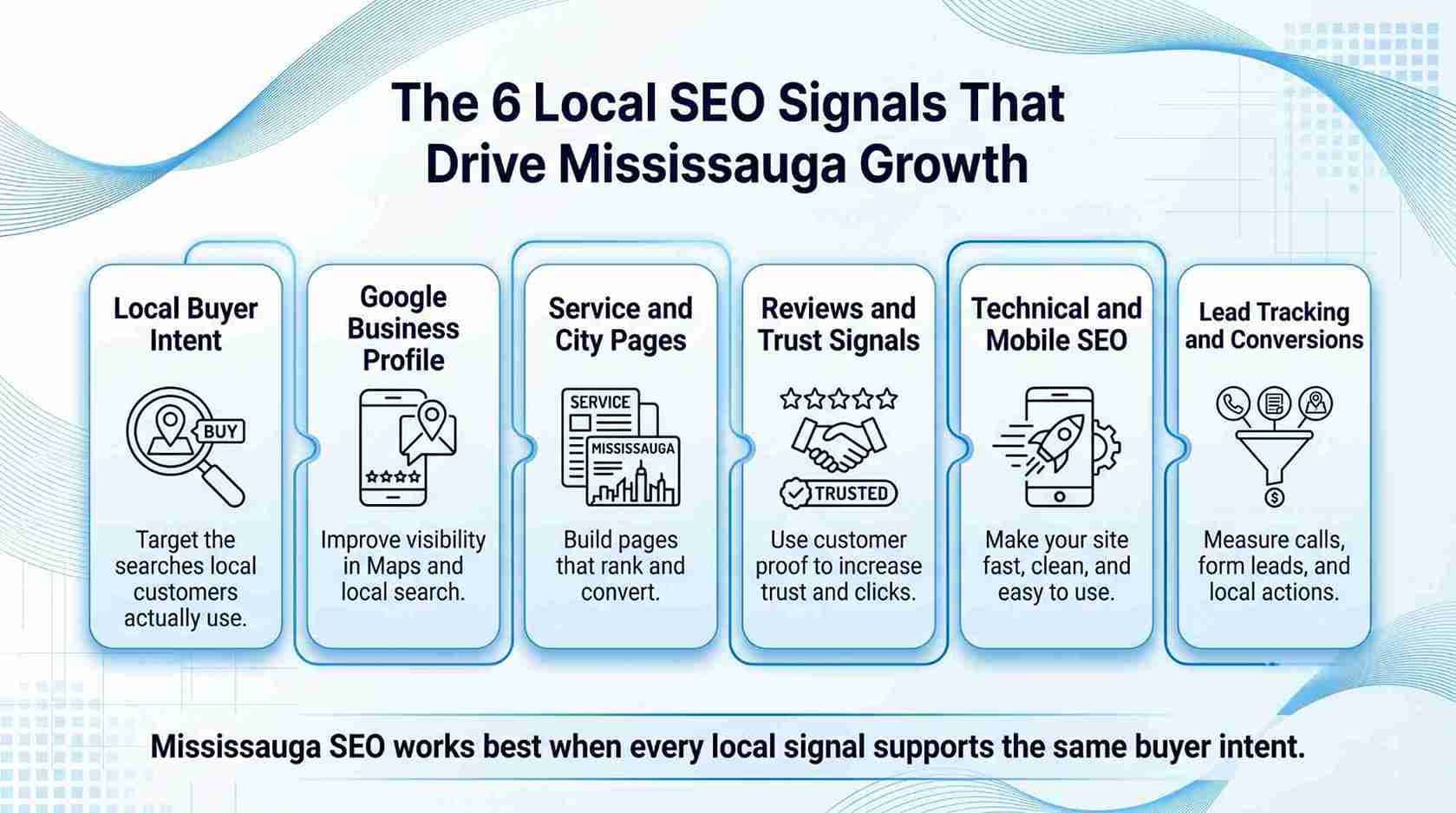
SEO is not a magic trick; it is a series of practical steps that help real people find and trust your business. In Mississauga, focusing on local buyer intent, optimizing your Google Business Profile, building service and city pages, earning and responding to reviews, fixing technical issues, using keywords naturally, strengthening internal links, publishing helpful content and tracking actual leads will make a tangible difference. These strategies are not quick hacks; they are long-term practices that build trust.
If you need help putting these tips into action, consider partnering with Local SEO Mississauga. As a local company, they understand the Mississauga market and can manage your Google profile, content, technical audits and review strategy so you can focus on running your business.
SEO is not instant. For most small businesses, noticeable improvements start within three to six months as search engines crawl and index your changes. However, the best results come from consistent work over many months or even years.
The cost varies depending on the competitiveness of your industry, the number of services you offer and whether you do the work yourself or hire an agency. Local SEO services typically cost less than national campaigns because they target a smaller area. Many agencies offer monthly plans or project-based pricing.
Yes. Many of the tips in this guide – such as optimizing your Google Business Profile, writing service pages and asking for reviews – can be done by business owners. However, technical tasks like auditing site speed or implementing structured data might require professional help.
The main types are on-page SEO (optimizing content and HTML), off-page SEO (building backlinks and citations), technical SEO (improving site speed and structure) and local SEO (optimizing for map and location-based searches). Each type works together to improve visibility and conversions.
Common tools include Google Search Console (monitors site performance), Google Business Profile (manages local listings), keyword research tools (identify search terms), analytics tools like Google Analytics (track traffic and conversions) and page speed tools like Lighthouse. Free options exist for beginners, and paid tools offer more advanced features.
SEO keywords are the words and phrases people type into search engines when looking for something. In local SEO, keywords often combine a service with a location ("Mississauga family lawyer"). Using these naturally in your titles, headings and content helps search engines match your pages to relevant searches.
Yes. Search engines continue to be the main way people find local businesses. Local search behaviour is growing, and businesses with optimized profiles and helpful content attract more customers than those that ignore SEO. As algorithms evolve, focusing on genuine user needs and trust signals will remain essential.
Get a free SEO audit and a clear, prioritized plan for your Mississauga business — no long-term contract required.
Get a Free SEO Audit· 8 min read
See what an HTTP 401 error means, how it differs from 403 and how users or developers can fix authentication problems. Check the steps now.
Read article· 11 min read
Improve brand mentions in ChatGPT, Gemini and AI Overviews with stronger entities, citations and answer-ready content. Use the 2026 checklist.
Read article· 14 min read
Build a keyword plan around search intent, competition and business value, then map terms to the right pages. Follow the step-by-step process.
Read article