Technical SEO
· 8 min read
HTTP 401 Error: Meaning, Causes & Fixes
See what an HTTP 401 error means, how it differs from 403 and how users or developers can fix authentication problems. Check the steps now.
Read article
See what a 404 error means, when it actually hurts SEO, and how to fix broken pages the right way. Check the full guide.
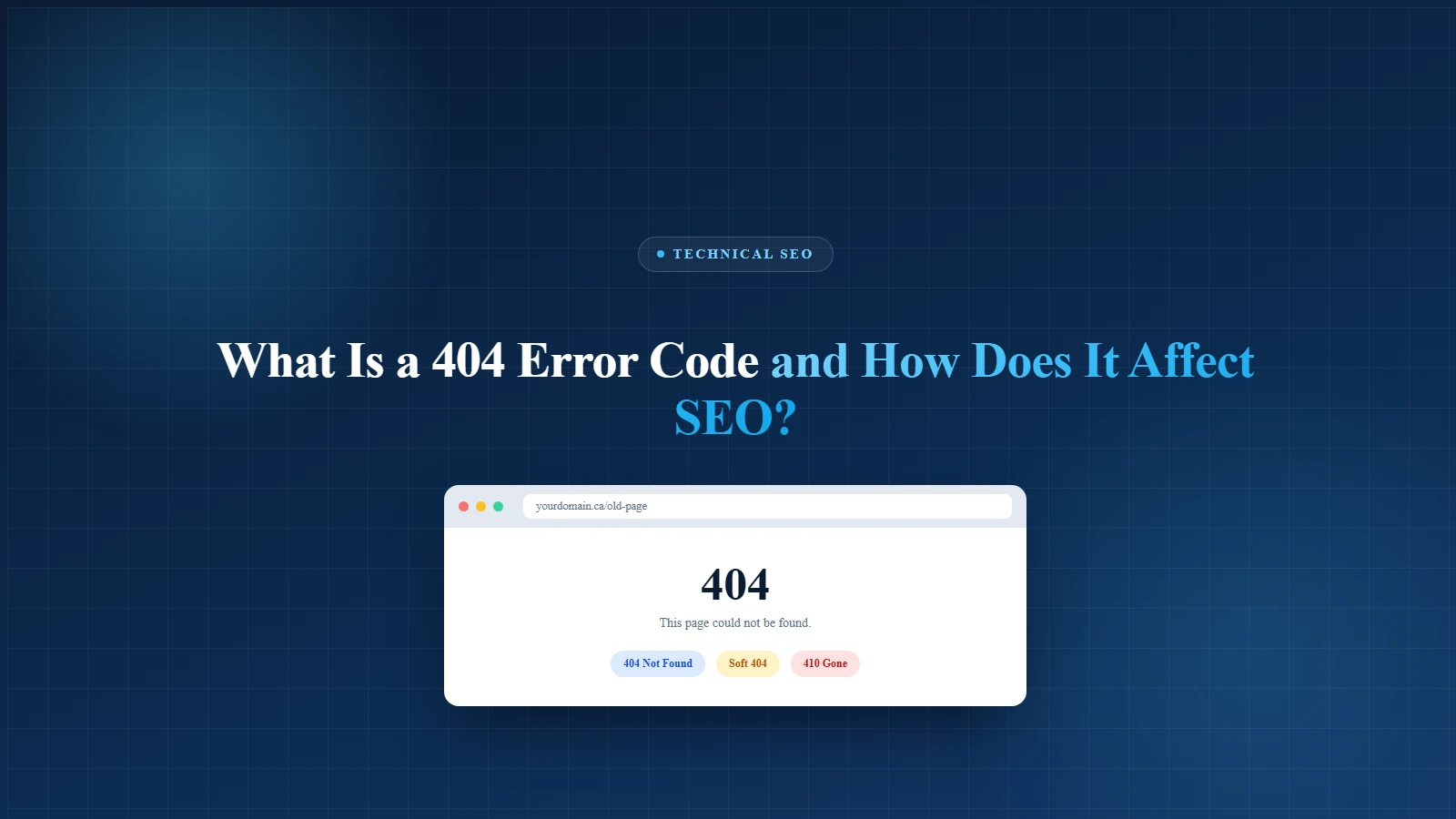
A few years back, I sent a client's biggest email campaign of the year, thousands of subscribers, one glorious "Shop the Sale" button. I clicked it myself an hour later to double-check. 404. Page not found. My stomach dropped.
We'd renamed the landing page the night before and forgotten to redirect the old one. The fix took four minutes. The lesson stuck for good: a 404 is rarely a technical footnote. It's a promise your website quietly broke with a real person.
Here's the reassuring part, and the whole reason this guide exists. Most 404s are harmless. A few are quietly expensive. Knowing the difference is what separates a tidy site from one that bleeds traffic, trust, and, as you'll see, the real-user performance that feeds your Core Web Vitals.
Let's sort out what's actually going on.
A 404 status code is the web's way of saying "I looked, and there's nothing here." When your browser requests a page, the server answers with a three-digit HTTP status code. A 200 means success. A 301 means "moved." And a 404 not found means the server was reachable, but the specific page you asked for doesn't exist at that address.
The definition isn't marketing fluff, it's written into the official standard for how the web communicates. The IETF's HTTP specification (RFC 9110) states that a 404 means the server did not find a current representation for the requested resource, or isn't willing to reveal that one exists.
So http 404 is not a bug in the usual sense. It's the correct, expected answer when a page is genuinely gone. The trouble starts when the wrong pages return it, or when your server lies about it.
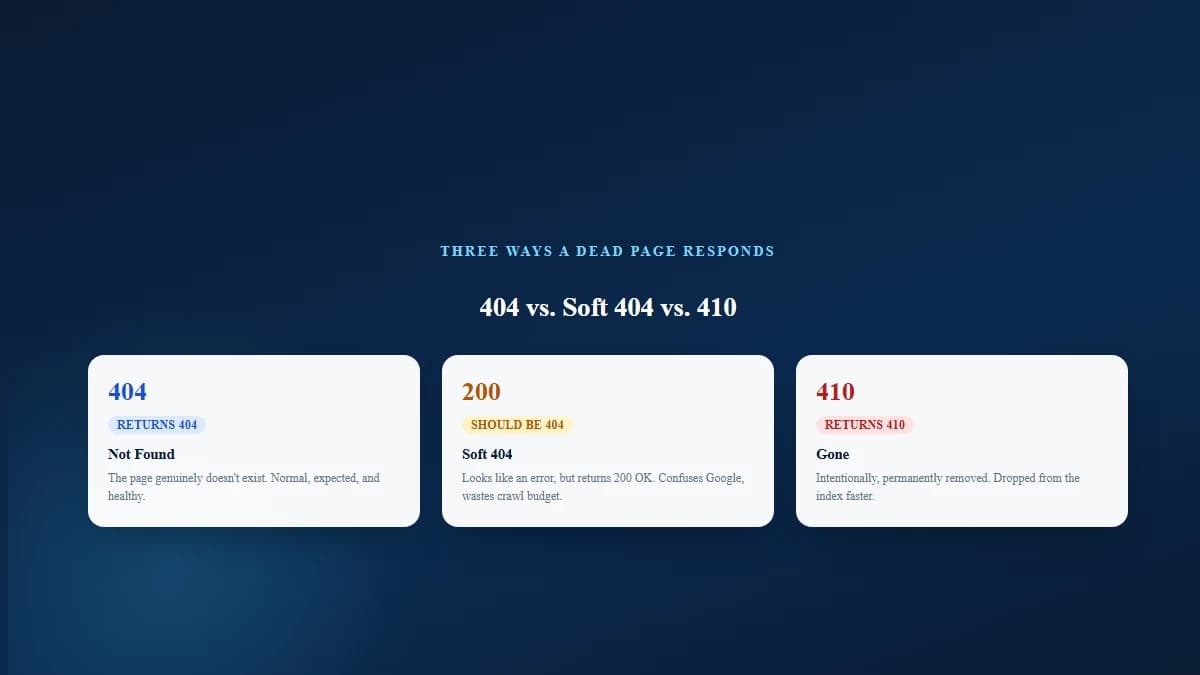
These three get confused constantly, and the differences matter for SEO:
The usual suspects are boringly common:
This is the question everyone actually types into Google, so let's answer it plainly. A page returning a 404 does not, on its own, harm the rankings of your other pages. That's Google's own long-standing position, stated directly in Google Search Central documentation: if some URLs on your site 404, that fact alone doesn't count against you in search results.
Breathe out. You do not need to chase down every single 404 in your reports.
But, and this matters, 404s cause indirect damage when they signal poor site management or when they hit pages that still earn traffic and links. The error code isn't the villain. Neglect is.
You can safely ignore these. Google expects them.
This is the link most 404 guides skip. Core Web Vitals are Google's real-user measurements of how a page feels, how fast the main content loads (Largest Contentful Paint), how quickly it responds to a tap (Interaction to Next Paint), and how stable the layout stays (Cumulative Layout Shift).
A 404 doesn't have a Core Web Vitals score in the way a normal page does. The damage is second-order but real:
Page experience and error handling aren't separate projects. They're the same commitment to not wasting a visitor's time.
Here's where most sites actually stand, per the HTTP Archive Web Almanac 2025, which draws on real Chrome user data (CrUX) from July 2025:
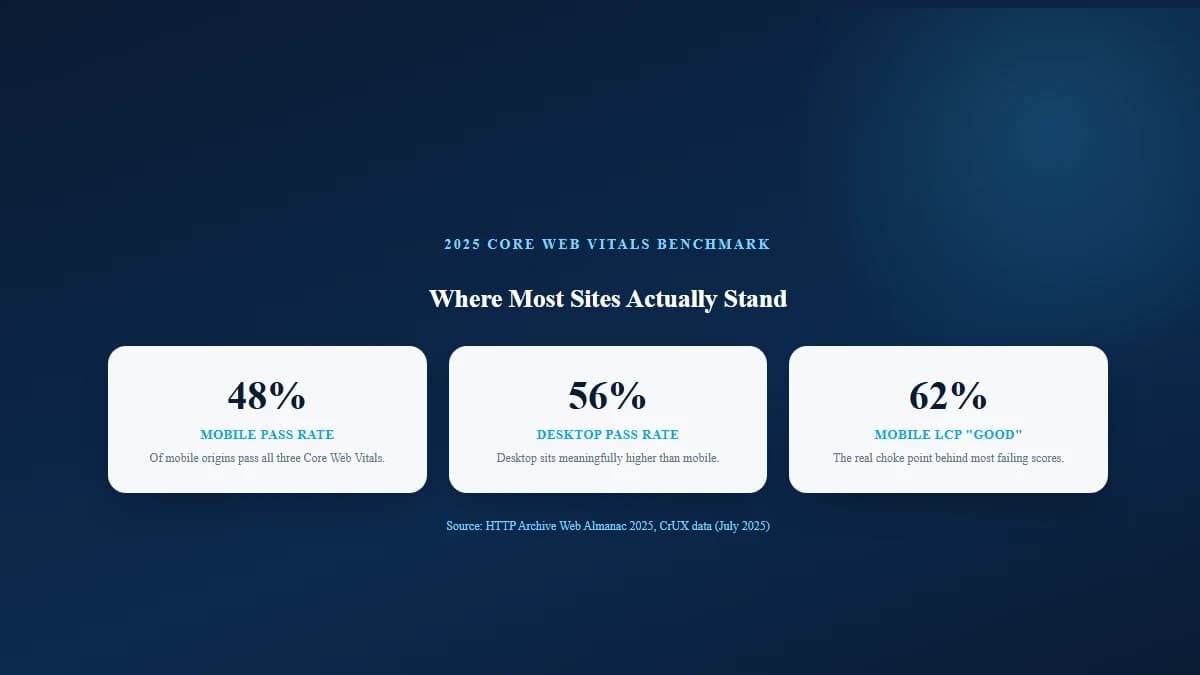
The takeaway: more than half the mobile web is still failing Core Web Vitals, and loading speed is usually the reason. Clean error handling and lean 404 pages are part of staying on the right side of that line.
Google doesn't crawl your site infinitely. It allocates a rough budget of time and requests, and every wasted crawl is a page it didn't refresh.
Soft 404s are worse than honest 404s. Because the server returns a 200 OK, Googlebot keeps coming back to re-crawl pages that are actually empty. Google Search Central is explicit that a correct 404 or 410 is the right response for a page that no longer exists, it tells search engines to stop wasting time there.
The "redirect everything to the homepage" trap: one publisher I worked with sent every missing URL to their homepage, thinking it looked cleaner than an error. Google reclassified those redirects as soft 404s and kept re-crawling them for weeks. Returning honest 404s and 410s fixed the crawl waste almost immediately.
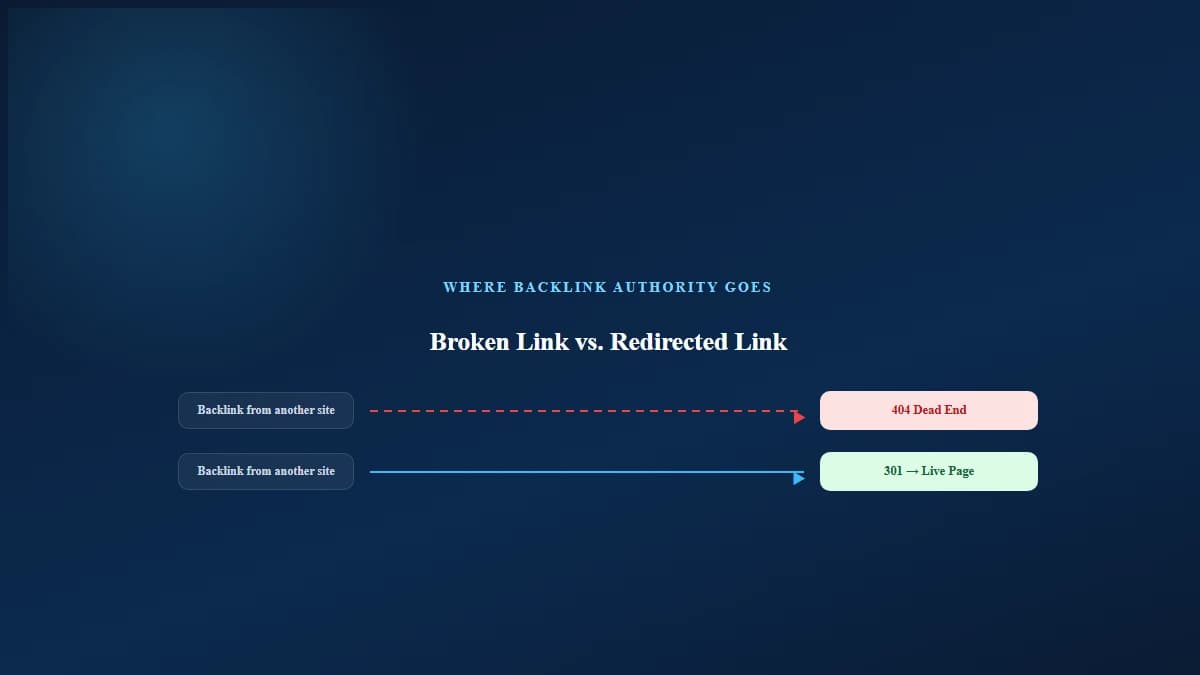
When a page that earned real backlinks starts returning a 404 error code, the authority those links carried stops flowing into your site. During a site migration, this is the silent killer:
You can't fix what you can't see. Two tools do the heavy lifting.
Google Search Console is free and authoritative, it shows you the errors Google itself found. The Page Indexing report flags "Not found (404)" and "Soft 404" URLs. Prioritize the ones that used to rank or still get linked. If you haven't submitted your site to Search Console yet, that's the first thing to fix, before a single 404.
Not every 404 needs fixing, only the meaningful ones. Work through this decision for each broken URL that matters.
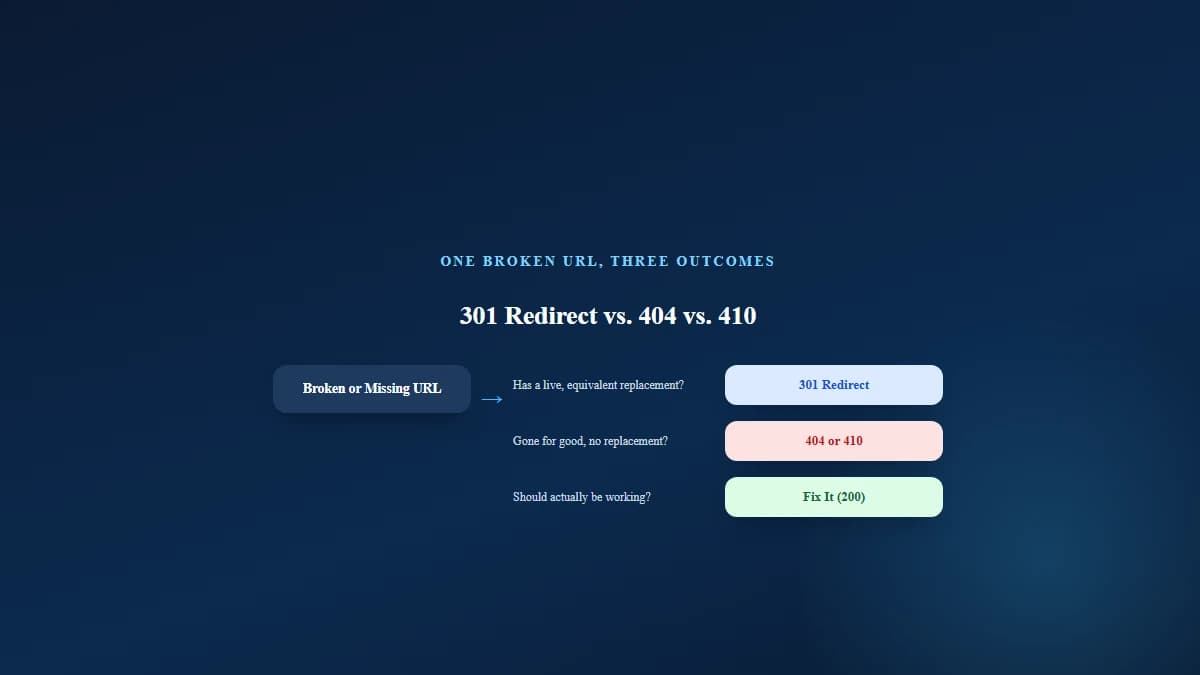
Avoid the tempting shortcuts: don't redirect unrelated dead pages to your homepage, and don't fake a 200 on a page that's really empty.
E-commerce example: a Canadian retailer clearing out last season's boots shouldn't blanket-redirect every discontinued SKU to the homepage. Boots that have a current replacement get a 301 to the new model; boots that are simply gone get an honest 404. That page-by-page judgment is what protects both rankings and the shopper's experience.
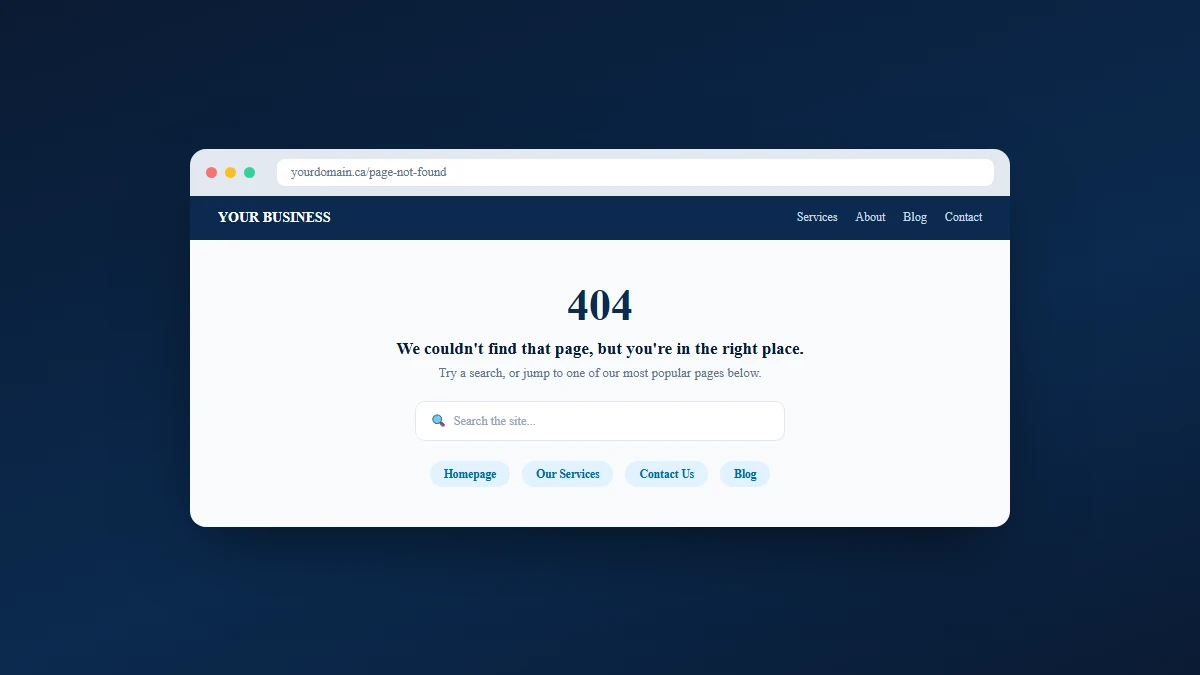
Google's own guidance is that a good 404 page rescues a lost visitor instead of abandoning them. A strong one:
One detail changes the stakes: Google now crawls and indexes using the mobile version of your site. If a page works on desktop but returns a 404 on mobile, Google treats it as gone. For Canadian businesses, that's not a niche concern.
Statistics Canada's data shows roughly 94% of Canadians have stable internet access, and its November 2025 retail figures put Canadian e-commerce sales near $4.0 billion for the month, part of a retail economy where online is a permanent fixture. A broken mobile page in that market isn't a rounding error, it's a lost customer who had their wallet out.
Handle your 404s with intent, keep your important pages alive and fast, and the error code stays exactly what it should be: invisible to your rankings and rare for your visitors. That's the same standard we hold every technical SEO engagement to, and exactly what a proper SEO audit checks before anything else.
A 404 error means the server was reached but couldn't find the specific page you requested. The page either never existed, was deleted, or was moved without a redirect.
"HTTP 404 not found" is the standard status code a server returns for a missing page. Per the IETF's HTTP specification (RFC 9110), it signals that no current version of the requested resource exists at that address.
Not by itself. Google Search Central confirms that a page returning 404 doesn't harm the rankings of your other pages. It only becomes an SEO problem when broken pages carry backlinks, get heavy internal linking, or point to content people still want.
Deleted pages, renamed URLs, changed slugs, typos in links, site migrations, and outdated internal links are the most common causes.
Decide per URL: 301-redirect it if there's an equivalent live page, return a clean 404 or 410 if it's genuinely gone, or repair the page if it should be working. Fix broken internal links pointing at it, and build a helpful custom 404 page.
A 404 means "not found" (it may or may not return). A 410 means "gone", intentionally and permanently removed. Search engines often drop 410 pages from the index slightly faster.
A soft 404 is a page that looks like an error to visitors but returns a 200 OK status code instead of a proper 404. Google flags these because they waste crawl budget and confuse indexing.
No direct ranking penalty exists for having 404s. The damage is indirect: lost link equity, wasted crawl budget, poor user experience, and a maintenance signal that can reflect on overall site quality.
A 404 page has no standard Core Web Vitals score, but broken pages create the kind of slow, frustrating navigation that undermines real-user experience. A bloated custom 404 page can also fail Core Web Vitals on its own. With only about 48% of mobile sites passing all three metrics (HTTP Archive Web Almanac, 2025), clean and lightweight error handling helps.
No. Google treats mass homepage redirects as soft 404s. Redirect only pages with a genuine equivalent; let the rest return an honest 404 or 410.
Get a free SEO audit and a clear, prioritized plan for your Mississauga business — no long-term contract required.
Get a Free SEO Audit· 8 min read
See what an HTTP 401 error means, how it differs from 403 and how users or developers can fix authentication problems. Check the steps now.
Read article· 11 min read
Improve brand mentions in ChatGPT, Gemini and AI Overviews with stronger entities, citations and answer-ready content. Use the 2026 checklist.
Read article· 14 min read
Build a keyword plan around search intent, competition and business value, then map terms to the right pages. Follow the step-by-step process.
Read article