Technical SEO
· 8 min read
HTTP 401 Error: Meaning, Causes & Fixes
See what an HTTP 401 error means, how it differs from 403 and how users or developers can fix authentication problems. Check the steps now.
Read article
Need more clicks from Google? Write title tags and meta descriptions that match search intent and avoid truncation. Book your free SEO audit now.
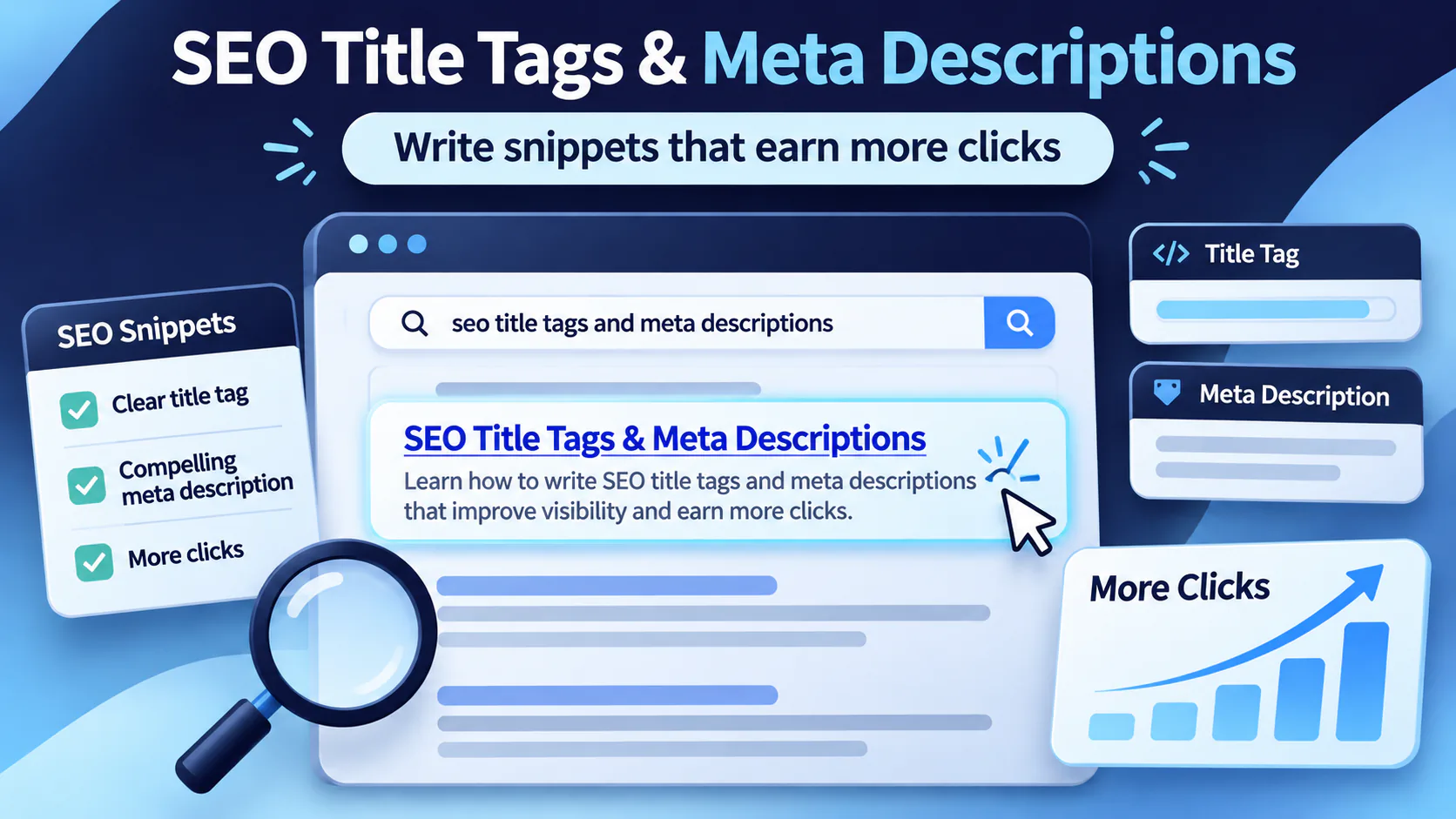
Meta descriptions are tiny pieces of text with a big job. They sit quietly under your SEO title in Google Search, trying to convince people that your page is worth the click. No pressure. Just your digital elevator pitch, squeezed into a few lines while ten other websites wave for attention like children at a school play.
For Mississauga businesses, title tags and meta descriptions matter even more because local search is competitive. A dental clinic, law firm, accountant, contractor, real estate agent, or SEO agency is not just competing with websites. It is competing with Google Maps, ads, AI summaries, directories, review sites, and sometimes that one competitor who somehow wrote “best service near me” 47 times and still appears online.
Here is the good news: writing better SEO title tags and meta descriptions is not about tricking Google. It is about helping real people understand your page faster.
Google says a meta description tag should inform and interest users with a short, relevant summary of the page. Google may use that tag to create the search snippet when it believes the description is more accurate than pulling text from the page itself. Google also says there is no fixed limit for meta description length, but snippets are cut as needed, usually depending on device width.
So, yes, length matters. But clarity matters more.
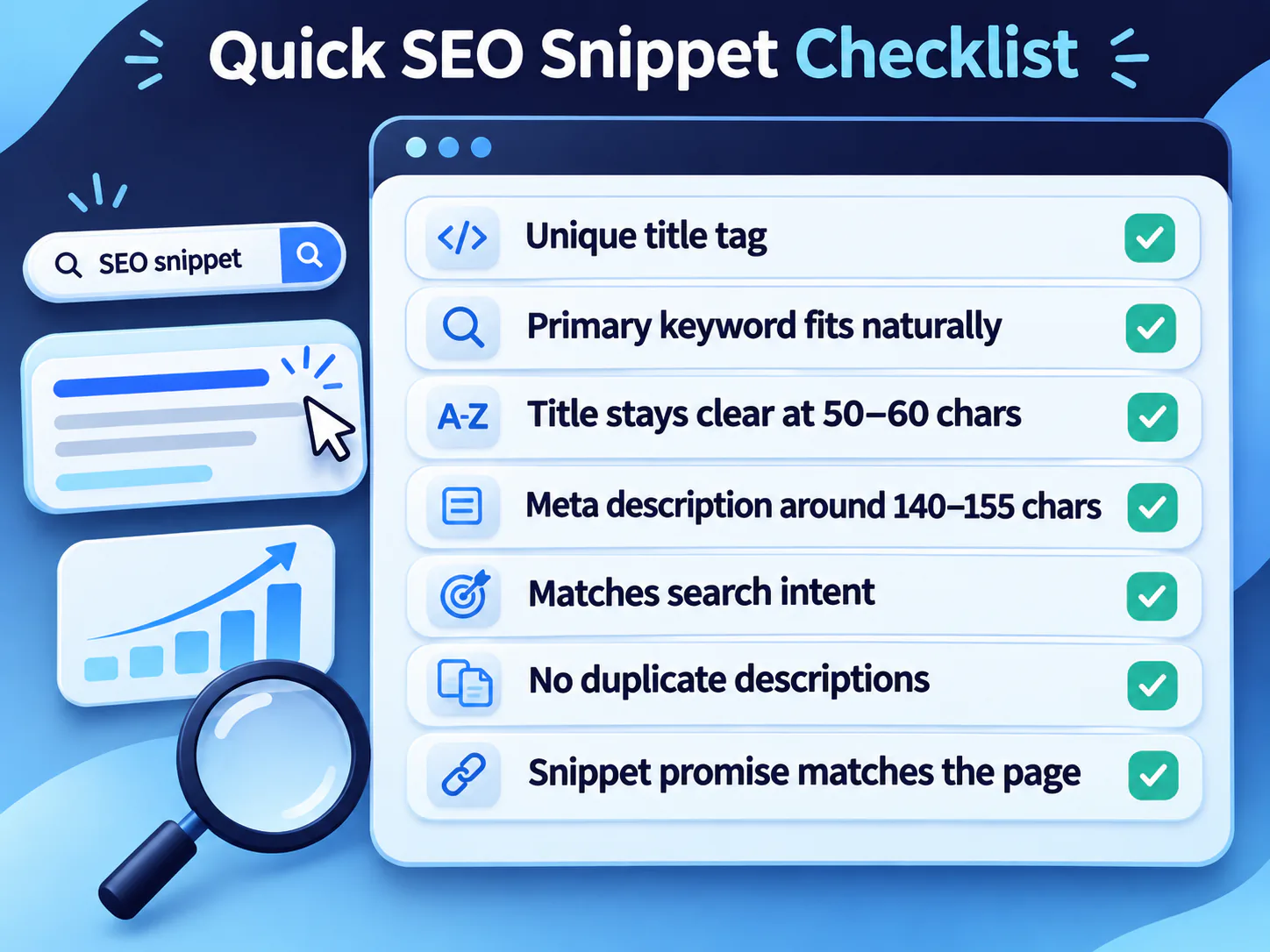
Use this checklist before publishing a page:
Search has changed a lot. Google is no longer a simple list of ten blue links. It now includes AI Overviews, featured snippets, People Also Ask, videos, local packs, image results, reviews, forums, shopping results, and ads. In other words, Google Search has become less like a library and more like Square One Mall on a Saturday afternoon.
Recent data shows why your search snippet must work harder. StatCounter reported that Google held 85.72% of search engine market share in Canada in June 2026, making Google still the main search platform Canadian businesses must optimize for.
But clicks are harder to win. SparkToro’s 2024 zero-click study found that for every 1,000 Google searches in the United States, only 360 clicks went to the open web. The rest stayed inside Google’s ecosystem, went to Google properties, ads, or ended without a website visit.
AI summaries also changed user behaviour. Pew Research Center found that users who saw a Google AI summary clicked traditional search results in 8% of visits, compared with 15% when no AI summary appeared.
That means your title tag and meta description must do three things quickly:
Not “someday.” Not “when Mercury is no longer in retrograde.” Now.
A meta description is an HTML tag that summarizes a web page for search engines and users. It usually appears as the text under your title link in search results.
The basic meta description tag looks like this:
<meta name="description" content="Learn how to write SEO title tags and meta descriptions that improve clicks, match search intent, and avoid truncation.">Think of it as the label on a product shelf. The page is the product. The title tag is the product name. The meta description is the part that tells shoppers, “Yes, this is the one you came for.”
Must-know tip: Google does not always show your written meta description. It may generate a different snippet from on-page content if that better matches the user’s query.
So your job is not only to write a good meta description tag. Your job is to make sure the page itself contains clear, useful answer sections Google can pull from.
The safest practical range for meta description length is usually 140 to 155 characters. This is not a strict Google rule. It is a practical writing range that usually keeps the message tight enough for desktop and mobile search results.
Google’s official position is clear: there is no maximum length for a meta description, but search snippets are shortened when needed, usually based on device width.
So instead of asking, “How many characters can I stuff in here?” ask this:
Can a busy person understand this page in two seconds?
That is the real test.
Use this as a working guide:
For local Mississauga pages, keep it direct. A person searching “bookkeeper Mississauga” does not want poetry. They want help, pricing hints, trust signals, and location relevance.
Bad example: “Welcome to our company where we offer many solutions for your business needs with quality and care.”
Better example: “Get bookkeeping services in Mississauga for clean records, CRA-ready reports, payroll support, and monthly financial clarity.”
The second one works because it tells the user what they get.
A title tag is the HTML title of your web page. In Google Search, it often appears as the clickable blue title link.
Google says title links are important because they give users quick insight into why a result is relevant. Google recommends that each page should have a title, and title text should be descriptive, concise, and not stuffed with repeated keywords.
A basic title tag looks like this:
<title>Bookkeeping Services in Mississauga | Monthly Reports</title>Use this formula:
Primary Keyword + Specific Benefit + Location or Brand
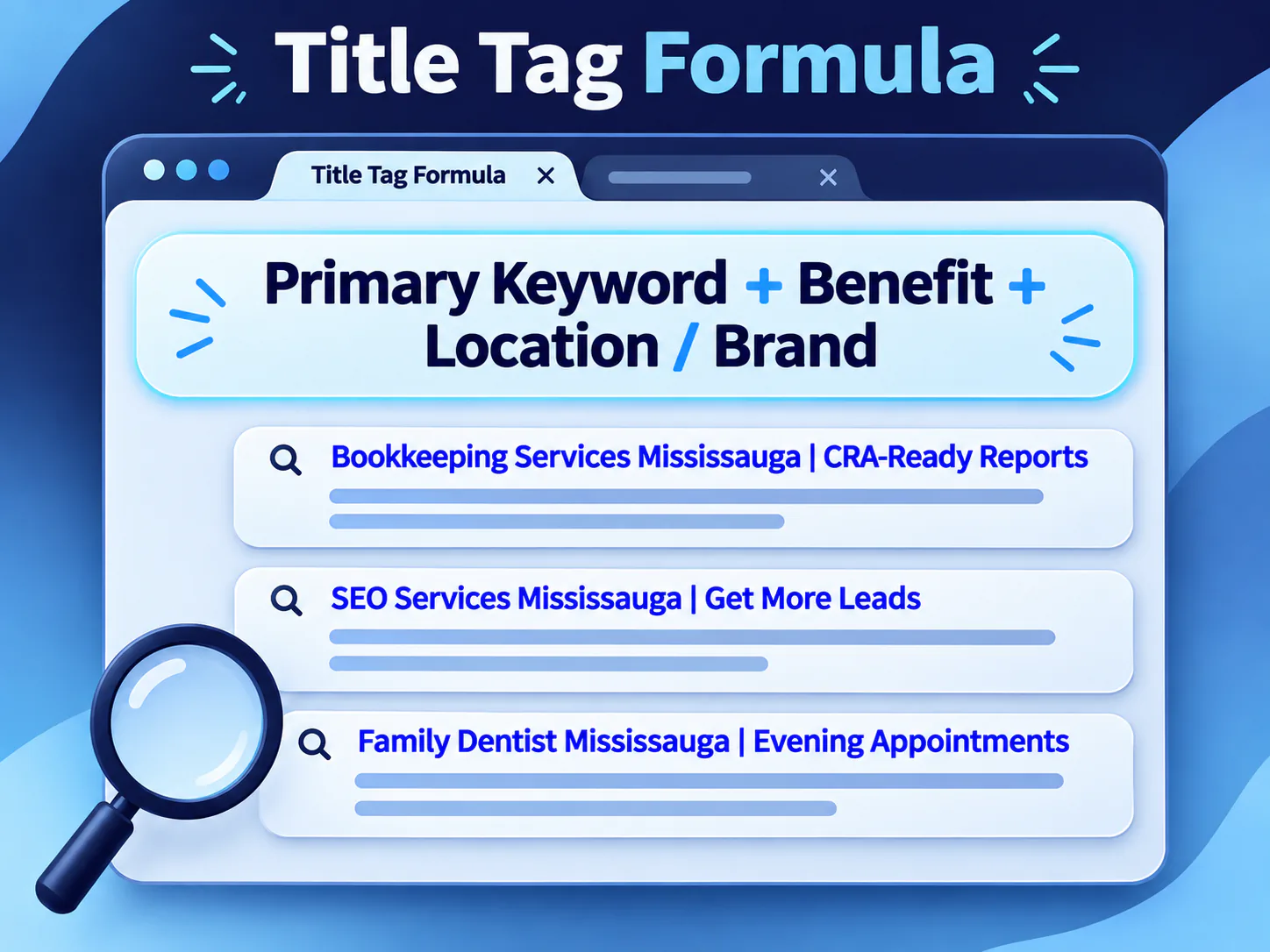
Examples:
Keep most title tags around 50 to 60 characters when possible. Again, this is a practical display range, not a fixed Google law. Google says title links may be truncated depending on device width.
Google can create title links from several sources, including the title element, the visible page title, H1 headings, og:title tags, prominent text, anchor text, and other page content.
That means Google may rewrite your title if your page gives mixed signals.
Avoid these mistakes:
Bad title: “SEO, SEO Company, SEO Agency, SEO Expert, SEO Services”
This title is not optimized. It is having a keyword tantrum.
Better title: “SEO Services in Mississauga | Local Growth Strategy”
It is clear, useful, and not screaming into the algorithmic void.
A strong meta description is not a summary of everything on the page. It is a focused reason to click.
Use this simple formula:
Problem + Solution + Specific Outcome
Example: “Struggling to write meta descriptions? Use this guide to create clear SEO snippets, avoid truncation, and improve clicks from Google Search.”
This works because it answers:
Use this when writing descriptions for blogs or service pages:
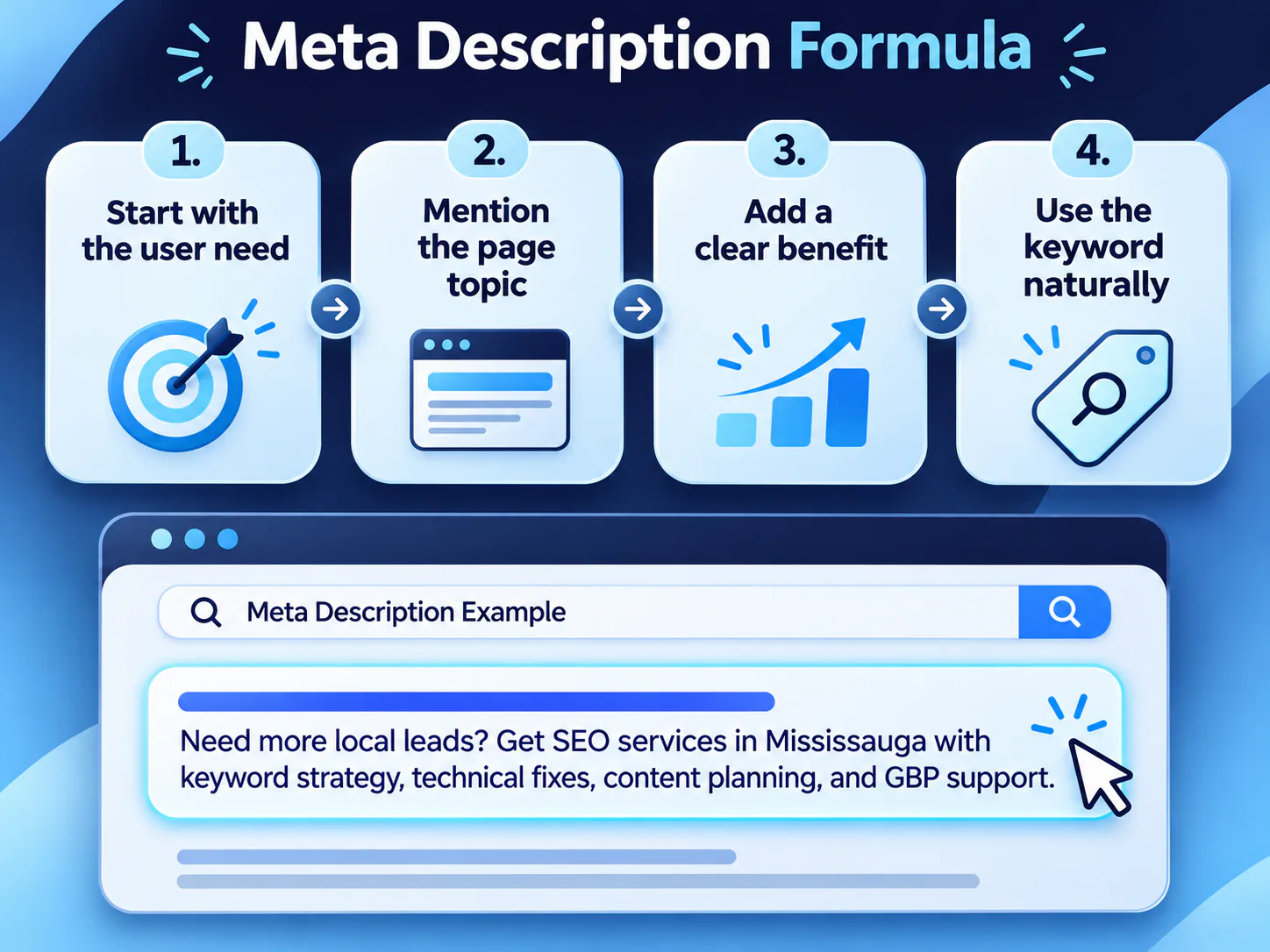
Example for a Mississauga SEO service page: “Need more local leads? Get SEO services in Mississauga with keyword strategy, technical fixes, content planning, and Google Business Profile support.”
That description works because it is specific. It does not say “we help you thrive online.” Nobody wakes up in Port Credit at 7:00 AM thinking, “I need to thrive online today.”
They think, “Why is my competitor above me on Google?”
Here are practical examples you can adapt.
Title Tag: How to Write Meta Descriptions for SEO
Meta Description: “Write meta descriptions that match search intent, stay within practical length, improve snippets, and help users choose your page.”
Title Tag: SEO Services Mississauga | Local SEO Strategy
Meta Description: “Get SEO services in Mississauga for stronger rankings, better local visibility, technical fixes, and content built around buyer intent.”
Title Tag: Family Dentist Mississauga | Evening Appointments
Meta Description: “Book a family dentist in Mississauga for cleanings, fillings, exams, emergency care, and convenient evening appointments.”
Title Tag: Small Business Accountant Mississauga | Tax Support
Meta Description: “Work with a Mississauga accountant for bookkeeping, payroll, corporate tax filing, GST/HST support, and CRA-ready reports.”
A meta description checker can help you review length, missing descriptions, duplicates, and truncation risk. Tools are useful. But they are not your boss.
A checker may say your description is 161 characters and therefore “bad.” That does not always mean it is bad. It may still show well. It may be rewritten by Google. It may also perform better because the wording matches search intent.
Use a meta description checker to catch:
But use your brain for the final decision. SEO tools are like gym mirrors. Helpful, but sometimes dramatic.
Before publishing any title tag or meta description, run the SERP Promise Test.
Ask:
Does this snippet make a promise the page immediately keeps?
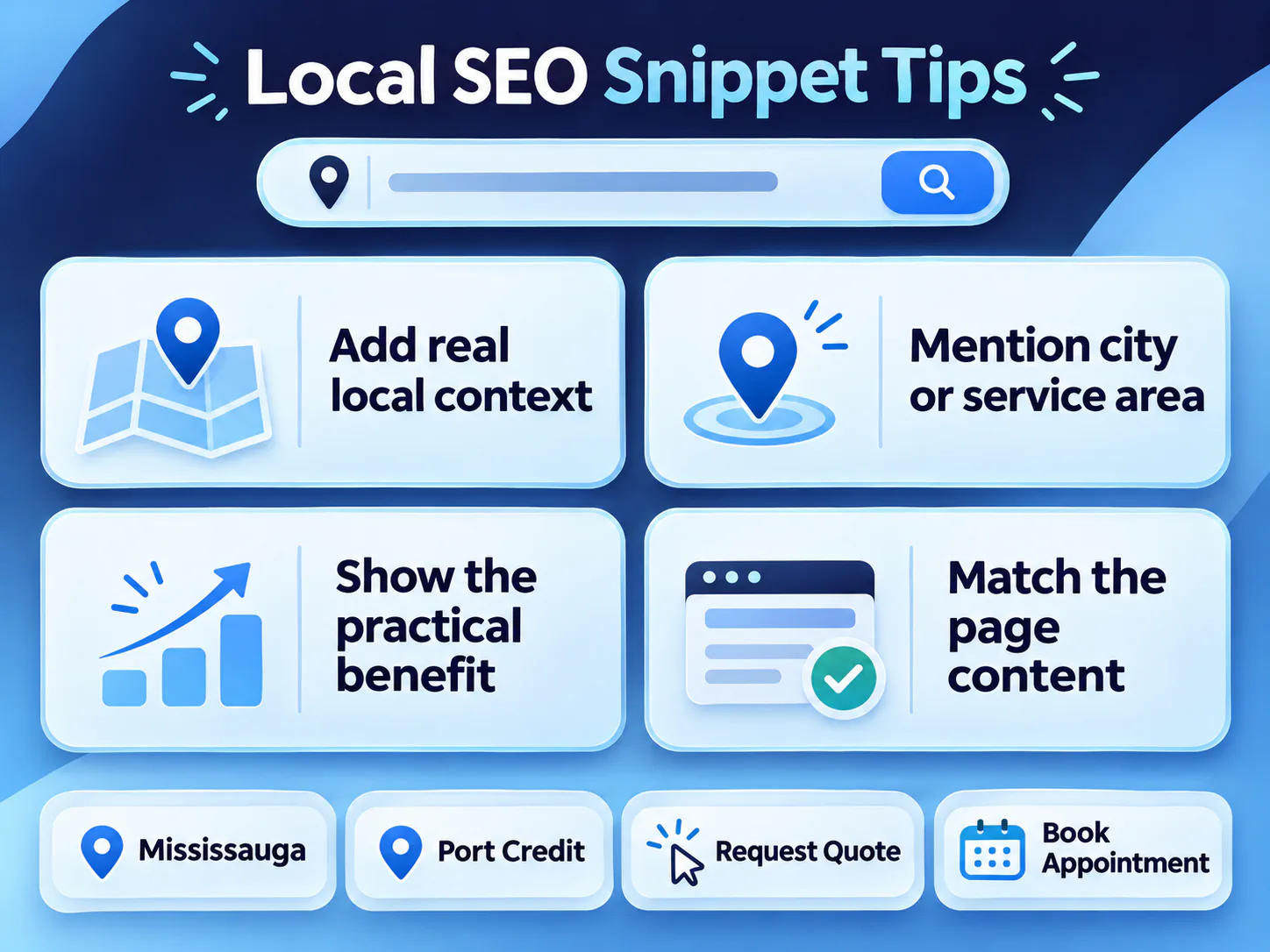
If your meta description says “pricing guide,” the page should show pricing information. If it says “step-by-step,” the page should have steps. If it says “Mississauga,” the page should include actual local context, not just a city name sprinkled like parsley.
This matters because search snippets set expectations. If users click and instantly bounce back, your snippet may have won the click but lost the trust.
Use this checklist:
That last part is where authority is built.
For local businesses in Mississauga, your meta descriptions should not only include the city. They should sound like the page actually belongs there.
Weak local description: “Best digital marketing company in Mississauga offering SEO, PPC, social media, web design and more.”
Better local description: “Grow local visibility in Mississauga with SEO strategy, Google Business Profile support, service-page optimization, and lead-focused content.”
The better version shows what the business does. It also avoids the “best company” claim, which everyone uses and nobody believes unless reviews, awards, or proof support it.
Local business schema markup is structured data that helps search engines understand your business details. Schema.org defines LocalBusiness as a physical business or branch, such as a restaurant, bank branch, medical practice, club, or similar local entity.
Google says LocalBusiness structured data can help Google understand details like business hours, departments, reviews, and other business information. Google also recommends validating structured data with the Rich Results Test and checking how Google sees the page using URL Inspection.
Here is a simple local business schema markup example for a Mississauga business:
<script type="application/ld+json">
{
  "@context": "https://schema.org",
  "@type": "LocalBusiness",
  "name": "Example Business Name",
  "image": "https://www.example.com/images/logo.png",
  "url": "https://www.example.com/",
  "telephone": "+1-905-000-0000",
  "address": {
    "@type": "PostalAddress",
    "streetAddress": "123 Example Street",
    "addressLocality": "Mississauga",
    "addressRegion": "ON",
    "postalCode": "L5B 1M5",
    "addressCountry": "CA"
  },
  "areaServed": [
    "Mississauga",
    "Brampton",
    "Oakville",
    "Toronto"
  ],
  "openingHoursSpecification": [
    {
      "@type": "OpeningHoursSpecification",
      "dayOfWeek": [
        "Monday",
        "Tuesday",
        "Wednesday",
        "Thursday",
        "Friday"
      ],
      "opens": "09:00",
      "closes": "17:00"
    }
  ],
  "priceRange": "$$"
}
</script>
Must-know tip: Schema markup does not replace good content, title tags, or meta descriptions. It supports search understanding. It is not a magic invisibility cloak that makes bad pages rank. Sadly.
A meta description is an HTML tag that summarizes a page. Google may use it as the search snippet when it accurately describes the page and helps users understand the result.
A practical meta description length is 140 to 155 characters, but Google has no fixed length limit. Snippets are truncated based on search result layout and device width.
No. Google may use your meta description tag, or it may create a snippet from visible page content when that better matches the user’s search query.
A meta description checker is an SEO tool that reviews descriptions for length, duplicates, missing tags, and possible truncation. It helps with quality control, but human review is still needed.
Yes. Unique meta descriptions help users understand how each page is different. Duplicate descriptions make pages look the same in search, which is about as helpful as labelling every drawer in your office “stuff.”
The title tag is usually the clickable headline in search results. The meta description is the short summary below it. The title gets attention. The description earns trust.
Meta descriptions and title tags are small, but they shape first impressions in search. In 2026, when Canadian users see AI summaries, ads, local packs, and crowded search results, your snippet has to work harder than ever.
The best approach is simple: write for humans first, support search engines second, and avoid sounding like a keyword blender.
For Mississauga businesses, strong SEO title tags and meta descriptions should be clear, local, useful, and honest. Tell people what the page gives them. Match the content. Add local proof. Keep the promise after the click.
That is how you turn a tiny search snippet into a real business opportunity. Want your snippets checked? Book a free SEO audit with Local SEO Mississauga.
Disclaimer: The information provided in this blog is for general informational purposes only. For professional assistance and advice, please contact experts.
Get a free SEO audit and a clear, prioritized plan for your Mississauga business — no long-term contract required.
Get a Free SEO Audit· 8 min read
See what an HTTP 401 error means, how it differs from 403 and how users or developers can fix authentication problems. Check the steps now.
Read article· 11 min read
Improve brand mentions in ChatGPT, Gemini and AI Overviews with stronger entities, citations and answer-ready content. Use the 2026 checklist.
Read article· 14 min read
Build a keyword plan around search intent, competition and business value, then map terms to the right pages. Follow the step-by-step process.
Read article