Technical SEO
· 8 min read
HTTP 401 Error: Meaning, Causes & Fixes
See what an HTTP 401 error means, how it differs from 403 and how users or developers can fix authentication problems. Check the steps now.
Read article
See what a 301 redirect is, when to use one instead of a 302, and how to avoid the redirect mistakes that hurt SEO. Check the full guide.
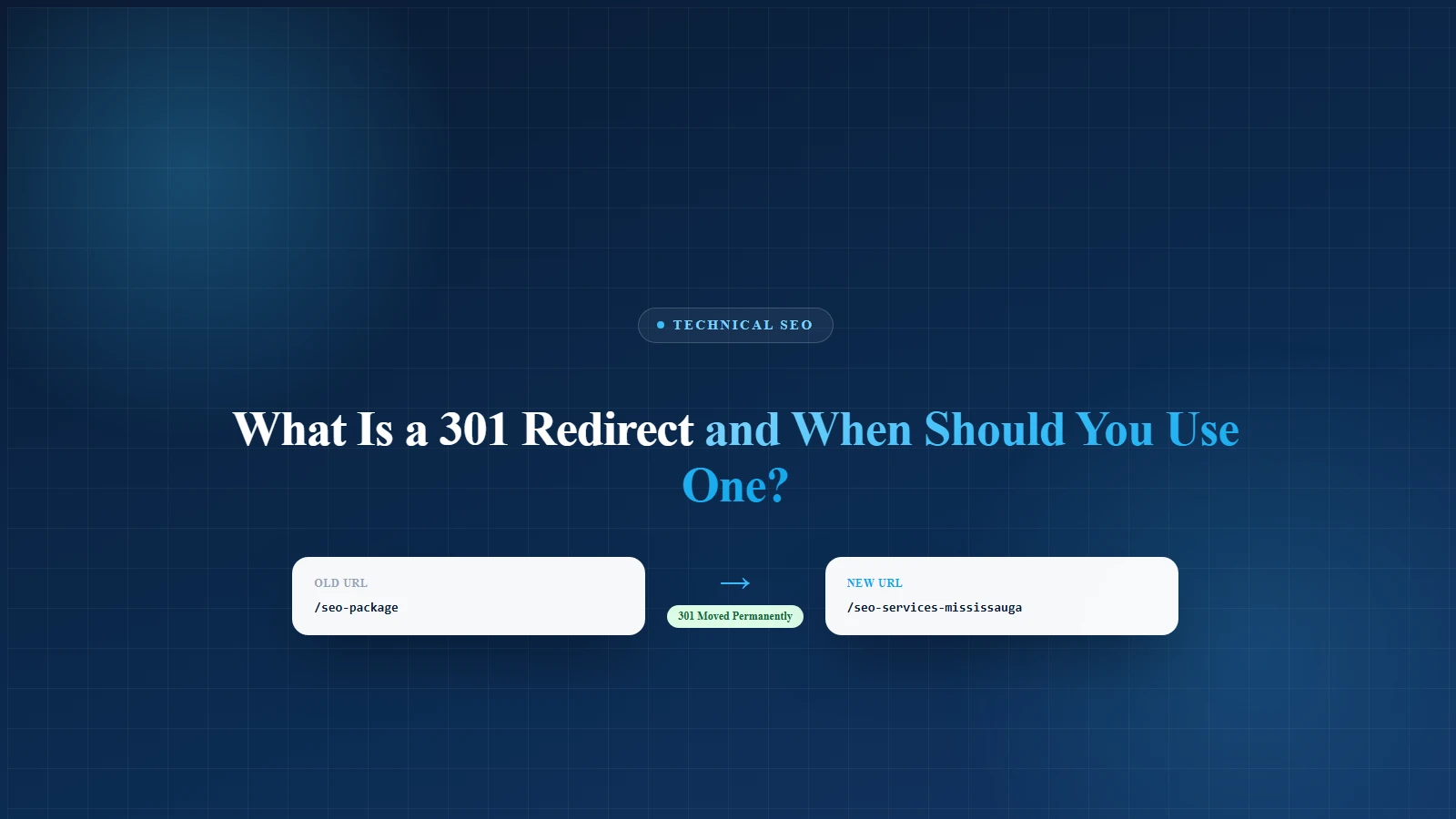
A 301 redirect tells browsers and search engines that a page has permanently moved to a new URL. Use it when you change a URL, delete a page with a useful replacement, move to HTTPS, merge content, or migrate a website.
Think of it like forwarding your mail after moving houses. Without it, visitors knock on the old door, Google gets confused, and your SEO starts looking like a lost Uber driver circling Square One.
For businesses in Mississauga, this matters more than most people think. A single broken service page can cost calls. A messy migration can drop rankings. And a redirect chain can slow your site down just enough for a customer to leave and call your competitor instead.
Google says permanent redirects, including 301 and 308, are used as signals that the new page should become the canonical page in search results. Temporary redirects, such as 302, are treated differently because they tell Google the original URL should usually stay in search results.
A 301 redirect is an HTTP status code that means "Moved Permanently."
When someone visits the old URL, the server sends them to the new URL automatically. The visitor usually does not notice anything except the final page loading. Search engines notice a lot more. They see that the old URL has been replaced and that the new URL should receive the attention going forward.
Example: the old URL, https://example.com/seo-package, becomes the new URL, https://example.com/seo-services-mississauga. A 301 redirect tells browsers and Google: "This old page has permanently moved. Please use the new page from now on."
Google recommends server-side permanent redirects when you need to change the URL shown in search results. It says server-side redirects have the highest chance of being interpreted correctly.
A 301 redirect helps protect three important things:
Without a redirect, users can land on a 404 page. That is the website version of walking into a restaurant and finding only a mop bucket and one confused raccoon.
A 301 redirect also helps Google understand where the content went. This is important when an old page has backlinks, rankings, internal links, or traffic.
Google also explains that redirects are part of canonicalization, meaning they help Google decide which URL is the main version of a page. Redirects, canonical tags, HTTPS, sitemap signals, and internal links all play a role in that process.
Use a 301 redirect when the move is permanent. Use a 302 redirect when the move is temporary. Here is the simple version:
| Redirect Type | Meaning | Best Use |
|---|---|---|
| 301 | Moved permanently | New URL, deleted page replacement, site migration |
| 302 | Moved temporarily | Short campaign, temporary stock issue, temporary service notice |
| 308 | Moved permanently | Similar to 301, often used when request method must stay the same |
| 307 | Temporary redirect | Similar to 302, but keeps request method unchanged |
Google says permanent redirects are used as a signal that the target page should be canonical, while temporary redirects do not send the same canonical signal.
Pro tip: If the old page is never coming back, use a 301. If the old page is coming back next week, do not panic-click the 301 button like it owes you money.
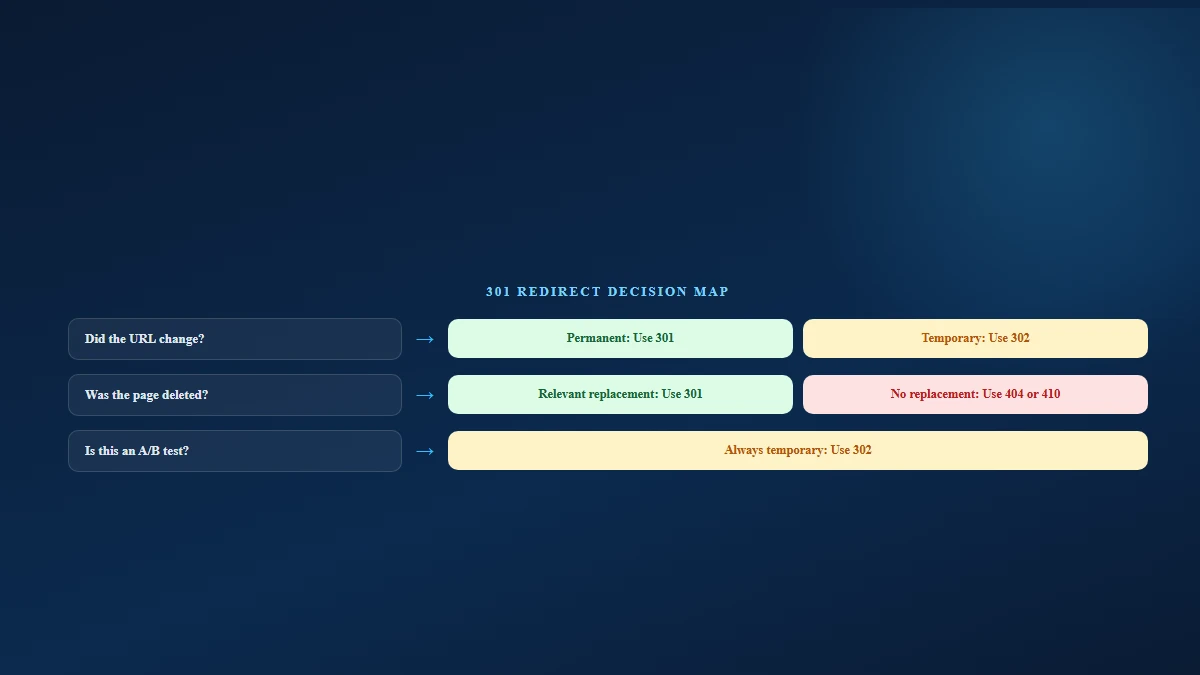
This is the most common use. Maybe you changed "/best-seo-company" to "/seo-services-mississauga." That is a permanent URL change. Use a 301 redirect. This protects users, backlinks, and internal links from pointing to a dead page.
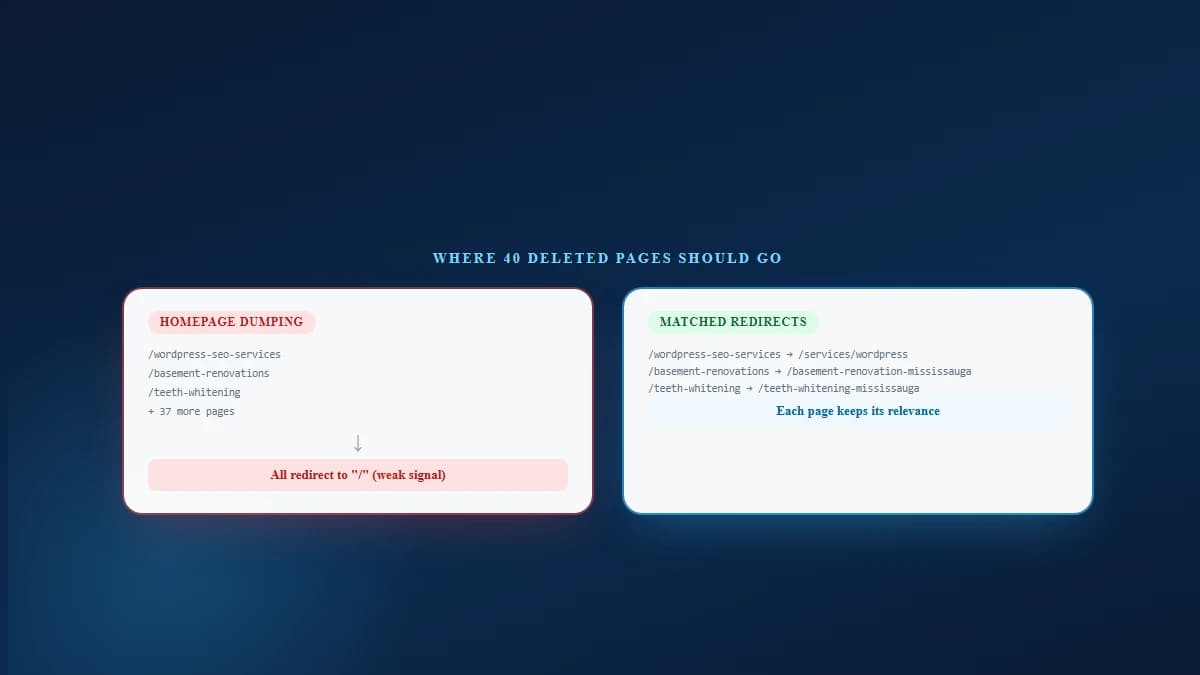
If you remove an old service page, redirect it to the closest useful page. A bad redirect sends "/wordpress-seo-services" to the homepage. A good redirect sends it to "/services/" or a dedicated WordPress SEO page instead.
Google specifically warns against irrelevant redirects during site moves. Redirecting everything to the homepage is not a smart shortcut. It is the SEO equivalent of sending every lost tourist to "Canada" instead of giving them an address.
If two pages target almost the same keyword, they can compete with each other. Say "/technical-seo-audit" and "/seo-audit-mississauga" both exist. If one page is stronger and more useful, merge the content and redirect the weaker URL to the stronger page.
This is useful for content pruning, topical authority, and clearer site structure. Local SEO Mississauga already explains that clean site structure, clear URLs, and internal links help search engines understand your pages. That same logic applies to redirects. A clean redirect map keeps the whole website easier to crawl.
If your site still has old HTTP URLs floating around, they should redirect to HTTPS. HTTPS is the secure version. Users expect it. Browsers expect it. Google expects clean signals.
The 2025 Web Almanac notes that HSTS helps browsers use HTTPS instead of trying HTTP first and following redirects. It also found that 36% of mobile pages used the HSTS header in 2025, up by six percentage points from the previous edition.
If you move from one domain to another, such as "oldbrand.ca" to "newbrand.ca," 301 redirects are essential. For domain moves, Google recommends mapping old URLs to new URLs, testing redirects, using Search Console's Change of Address tool, submitting the new sitemap, and keeping redirects in place for as long as possible, generally at least one year.
For users, keeping important redirects indefinitely is often better. Why? Because old links can live forever. Somewhere on the internet, there is probably a 2014 blog post still sending people to your old service page. The internet forgets nothing. It is basically an elephant with Wi-Fi.
Website redesigns often change URLs, like moving "/services/local-seo" to "/local-seo-services-mississauga." This needs a redirect.
Before a redesign goes live, your team should create a redirect map. That map should list every old URL and its new destination. A proper redirect map is not glamorous. Nobody frames it. Nobody posts it on LinkedIn with a rocket emoji. But it can save thousands of visits.
Some old blog posts are not worth keeping. Maybe the advice is outdated. Maybe the topic changed. Maybe the post has three visits per year and one of them is your cousin.
If the post has a better replacement, use a 301 redirect. If there is no useful replacement, a 404 or 410 can be acceptable. Do not redirect irrelevant content just to avoid a 404. Google is clever enough to notice when a page about "2021 Instagram hashtags" suddenly redirects to your plumbing service page.
If a product is temporarily out of stock, use a temporary redirect or keep the page live with an explanation. Google gives a similar example for temporarily unavailable services and recommends a temporary redirect so the original URL can stay in search results.
For A/B tests, Google recommends using a 302 temporary redirect, not a 301 permanent redirect, because the test version is not meant to replace the original page forever.
This is one of the most common mistakes. If 40 deleted pages all redirect to the homepage, users get confused and Google receives weak relevance signals. Redirect old pages to the closest matching page. If there is no match, let the page return a proper 404 or 410.
A redirect chain looks like this: Page A leads to Page B, which leads to Page C, which leads to Page D. That is too much hopping. Google recommends keeping redirect chains low, ideally no more than 3 and fewer than 5.
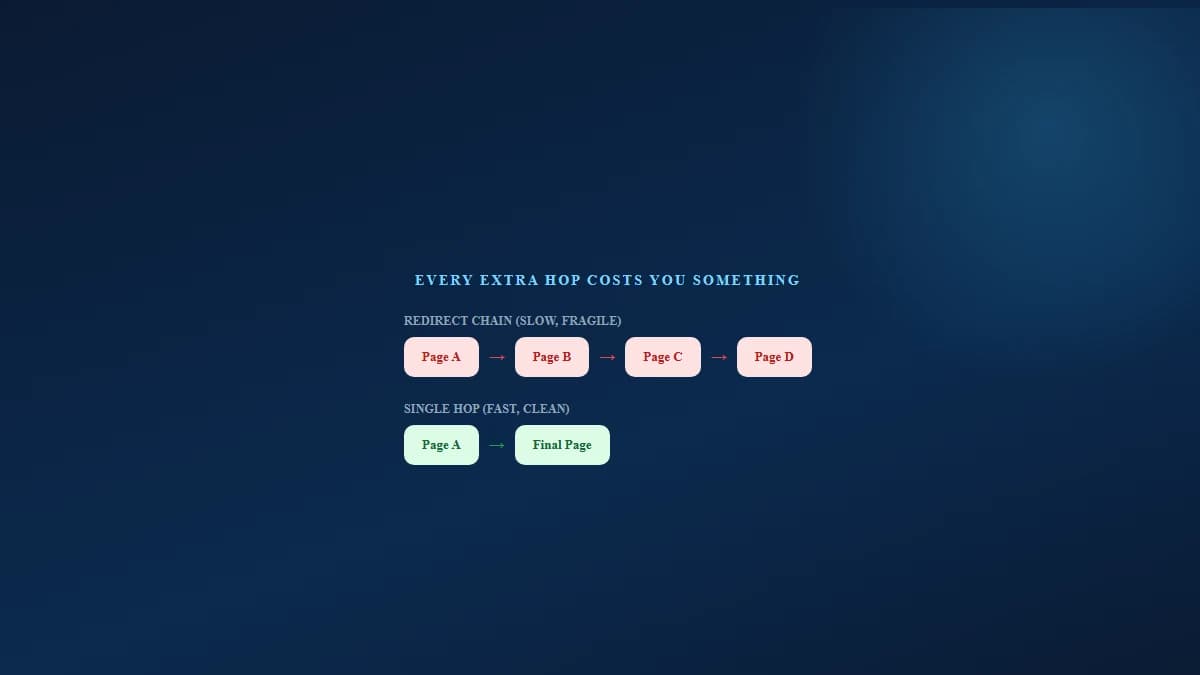
For users, every extra hop can slow the page. And speed matters. The 2025 Web Almanac found that only 48% of mobile websites achieved good Core Web Vitals in 2025, compared with 44% in 2024. Desktop sites performed better, with 56% achieving good Core Web Vitals in 2025.
In plain English: most websites still have performance issues. Do not add unnecessary redirects to the pile.
Before you redirect anything important, use this checklist.
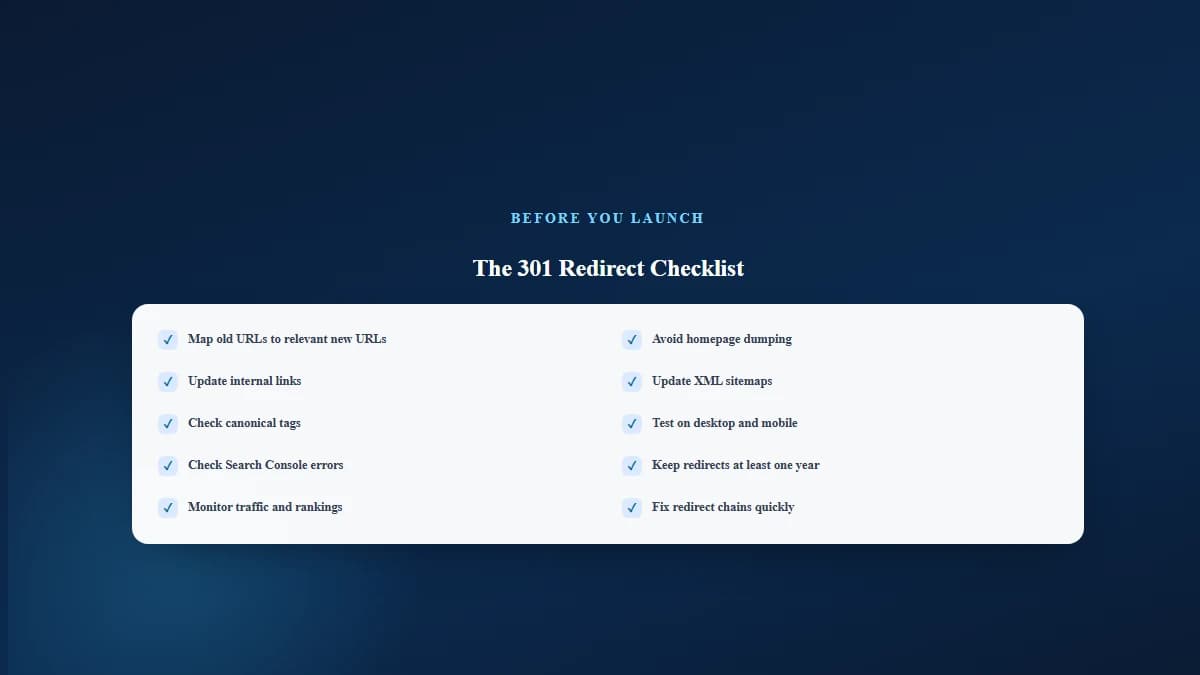
This is also where a proper SEO audit in Mississauga helps. Local SEO Mississauga checks crawlability, indexing issues, technical SEO problems, and the items that quietly block rankings before anyone notices.
Most redirect guides stop at "old URL goes to new URL." That is correct, but incomplete.
A smart redirect strategy should also ask:
This matters because not all pages have equal business value. A blog post with 50 visits might not matter much. A service page that brings five booked calls a month absolutely matters. Treating both URLs the same is how businesses lose revenue during redesigns.
For a Mississauga business, this is especially important for local landing pages, service pages, and industry pages. If your HVAC SEO Mississauga page, Dental SEO Services page, or SEO Audit Mississauga page changes URL, that redirect should be handled carefully.
Local SEO Mississauga's service model is built around technical excellence, content strategy, local SEO, and measurable business growth, not random SEO tasks. That is exactly the mindset redirects need.
Old URL: "/basement-renovations." New URL: "/basement-renovation-contractor-mississauga." Use a 301 redirect. Why? The service is the same, but the URL is more specific.
Old URLs: "/teeth-whitening" and "/cosmetic-dentistry-whitening." New URL: "/teeth-whitening-mississauga." Use a 301 redirect from the weaker page to the stronger page.
Old URL: "/summer-shoes-2024." New URL: "/womens-summer-shoes." Use a 301 redirect only if the new page is relevant. For ecommerce sites, this can protect category authority and help users find current products. Local SEO Mississauga also has eCommerce SEO services for stores that need product and category pages to rank properly.
Old domain: "abcplumbing.ca." New domain: "abcplumbingmississauga.ca." Use page-by-page 301 redirects. Do not redirect every old URL to the new homepage.
Also use Search Console's Change of Address tool when moving domains or subdomains. Google says this tool is not needed for HTTP to HTTPS moves, www to non-www changes, or path changes on the same domain.
This hurts users and weakens search signals. Bad: "/emergency-plumber-mississauga" redirecting to "/blog." Better: "/emergency-plumber-mississauga" redirecting to "/plumbing-services-mississauga."
A redirect is a safety net, not a final setup. After the redirect goes live, update internal links so they point directly to the new URL. Local SEO Mississauga's own SEO best practices explain that internal links pass relevance and authority between your pages.
Your sitemap should show the final URLs, not old redirected URLs. A sitemap full of old URLs tells Google, "Please crawl these pages," then redirects Google somewhere else. That is messy.
A loop looks like this: Page A leads to Page B, which leads back to Page A. Nobody wins. Not users. Not Google. Not your developer, who now needs coffee and emotional support.
WordPress redirect plugins are useful, but they are not magic. Always test redirects after adding rules. One wrong pattern can redirect half your website into the void.
You can test redirects using:
A simple curl check can show the status code and location header:
curl -I https://example.com/old-page
— Terminal command
You want to see something like this in the response, a 301 status paired with a Location header pointing at the new URL:
HTTP/1.1 301 Moved Permanently
— Status line
Location: https://example.com/new-page
— Location header
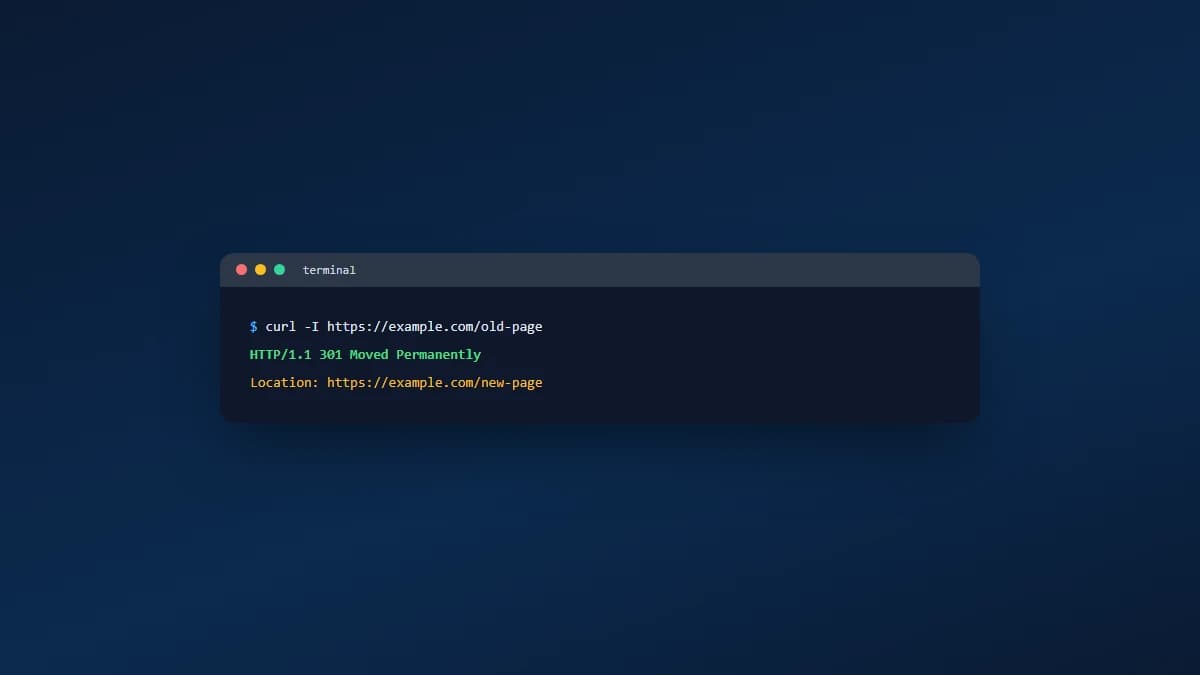
After that, check the final URL. It should return a 200 status code, which means the destination page loads successfully.
Use a 301 redirect when:
Do not use a 301 redirect when:
Search is no longer only about ten blue links. AI Overviews, ChatGPT, Gemini, Perplexity, and answer engines rely on clear, crawlable, well-structured content. If your best answer page is buried behind broken links, redirect chains, duplicate versions, and old URLs, you make it harder for search systems to trust the right page.
Local SEO Mississauga's AEO guidance explains that answer engines need clear topical authority and structured content, not random pages scattered across a website. Redirects help by cleaning up weak, duplicate, or outdated URLs and pointing authority toward the strongest answer.
So yes, a 301 redirect is technical. But in 2026, it is also part of authority building. Clean redirects help your best pages become easier to crawl, easier to understand, and easier to cite.
A 301 redirect looks small. It is just one old URL pointing to one new URL.
But when handled well, it protects rankings, backlinks, traffic, leads, and user trust. When handled badly, it can turn a clean website update into a ranking mystery with more drama than a group chat at 1 a.m.
Use 301 redirects when a page has permanently moved. Keep them relevant. Avoid chains. Update internal links. Check Search Console. And before a redesign or migration, build a redirect map.
Need help finding crawl errors, redirect chains, broken pages, or migration risks? Local SEO Mississauga offers SEO services in Mississauga and detailed SEO audits built around technical fixes, content clarity, and real business outcomes.
A redirect should never be a guess. It should be part of the plan.
A 301 redirect permanently sends people and search engines from an old URL to a new URL. It tells Google that the page has moved for good.
A properly used 301 redirect usually protects SEO instead of hurting it. Problems happen when redirects are irrelevant, chained, broken, or pointed to weak pages.
Google recommends keeping redirects for as long as possible, generally at least one year, during a site move. For users, important redirects are often worth keeping indefinitely.
Usually, no. Redirect deleted pages to the closest relevant page. If no relevant page exists, a proper 404 or 410 is cleaner.
Use 301 for permanent moves. Use 302 for temporary moves. The wrong choice can send confusing signals to Google.
Yes. HTTP pages should permanently redirect to HTTPS versions when the site has moved to secure URLs.
A 301 redirect helps transfer signals from the old URL to the new URL. The new page should be highly relevant to the old page for best results.
One direct redirect is best. Google recommends keeping redirect chains low, ideally no more than 3 and fewer than 5.
Yes, if the old blog URL was indexed, linked internally, shared externally, or receiving traffic.
Yes. Bad redirects can confuse users, waste crawl time, slow pages, and send weak relevance signals.
Get a free SEO audit and a clear, prioritized plan for your Mississauga business — no long-term contract required.
Get a Free SEO Audit· 8 min read
See what an HTTP 401 error means, how it differs from 403 and how users or developers can fix authentication problems. Check the steps now.
Read article· 11 min read
Improve brand mentions in ChatGPT, Gemini and AI Overviews with stronger entities, citations and answer-ready content. Use the 2026 checklist.
Read article· 14 min read
Build a keyword plan around search intent, competition and business value, then map terms to the right pages. Follow the step-by-step process.
Read article