Technical SEO
· 8 min read
HTTP 401 Error: Meaning, Causes & Fixes
See what an HTTP 401 error means, how it differs from 403 and how users or developers can fix authentication problems. Check the steps now.
Read article
Crawled currently not indexed means Google crawled your page but skipped it. Fix thin content, duplicates and weak links. Book a free SEO audit.
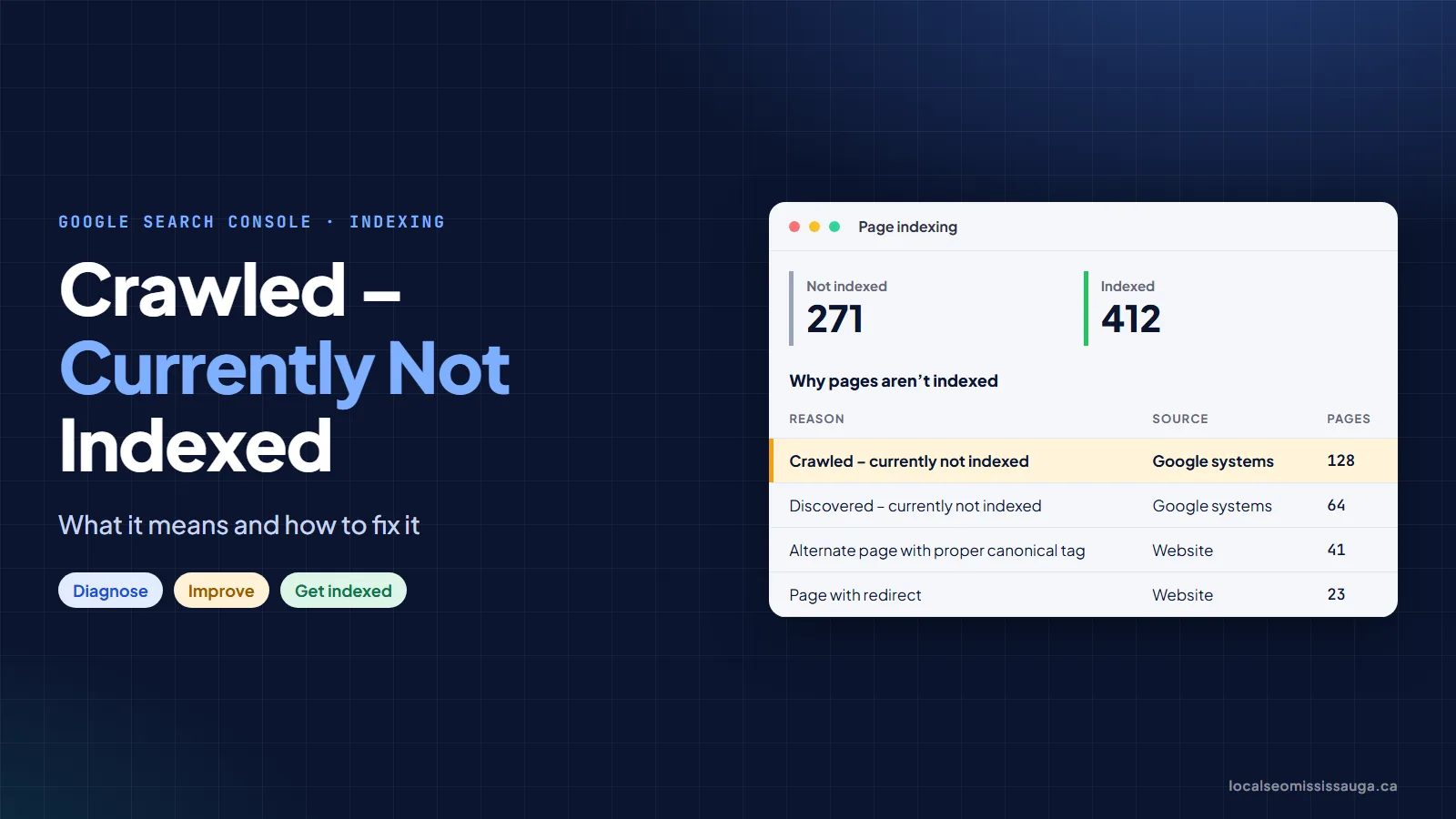
You publish a new page or blog post and wait a few days. Then you check Google Search Console to see if it is indexed. Instead, the page is listed as "Crawled – currently not indexed."
For an important page, that is a real problem. Your page has been visited by Google but left out of its index. As a result, it will not show up in search results. No one can find it on Google, so it brings in no traffic or leads.
In this guide, we explain what the status means and how to confirm it in Search Console. You will also see why it happens and how to get your important pages indexed.
"Crawled – currently not indexed" means Google crawled your page but chose not to index it. Google's own definition is short: "the page was crawled by Google but not indexed."
Crawling and indexing are two separate steps:
A successful crawl does not guarantee indexing. Every page is assessed after the crawl, and many crawled pages are skipped. Google calls the status common, and it does not always mean something is wrong.
The word "currently" matters. The status describes where your page stands today, not a final decision. Google can recrawl the page later and index it, especially after you improve it.
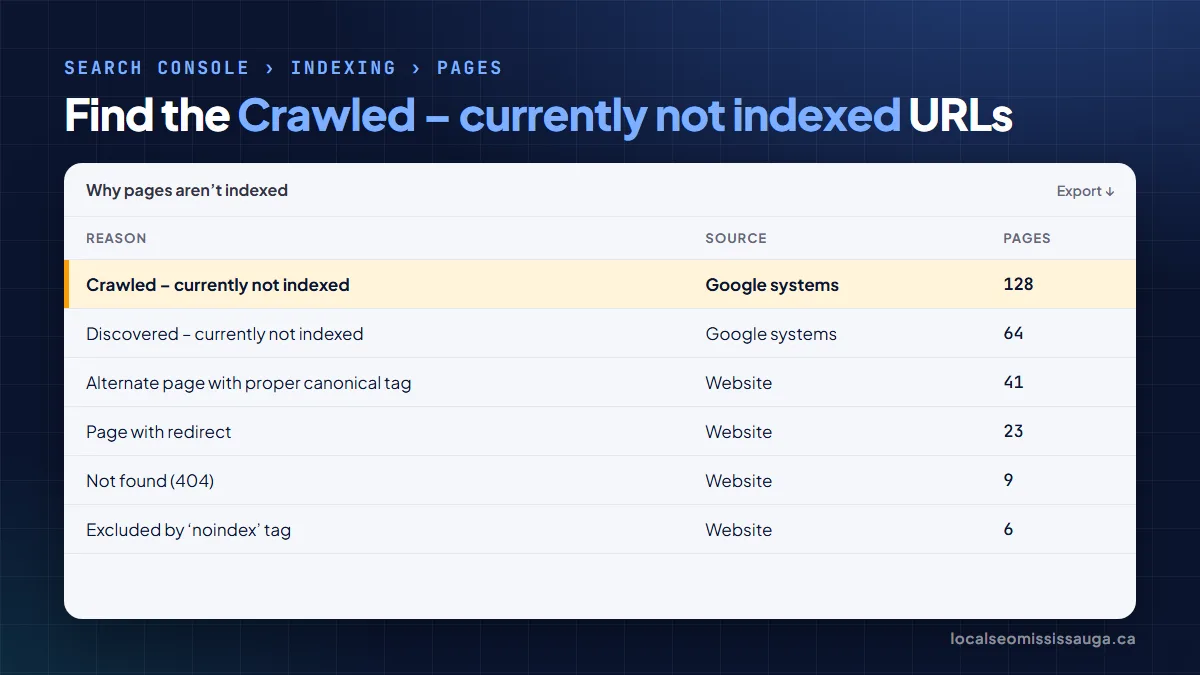
When a page is not indexed, the reason is shown in the Google Search Console page indexing report. To find affected URLs:
You can export this list as a spreadsheet. Sort it by page type, such as services, products or blog posts. Important pages are much easier to spot that way.
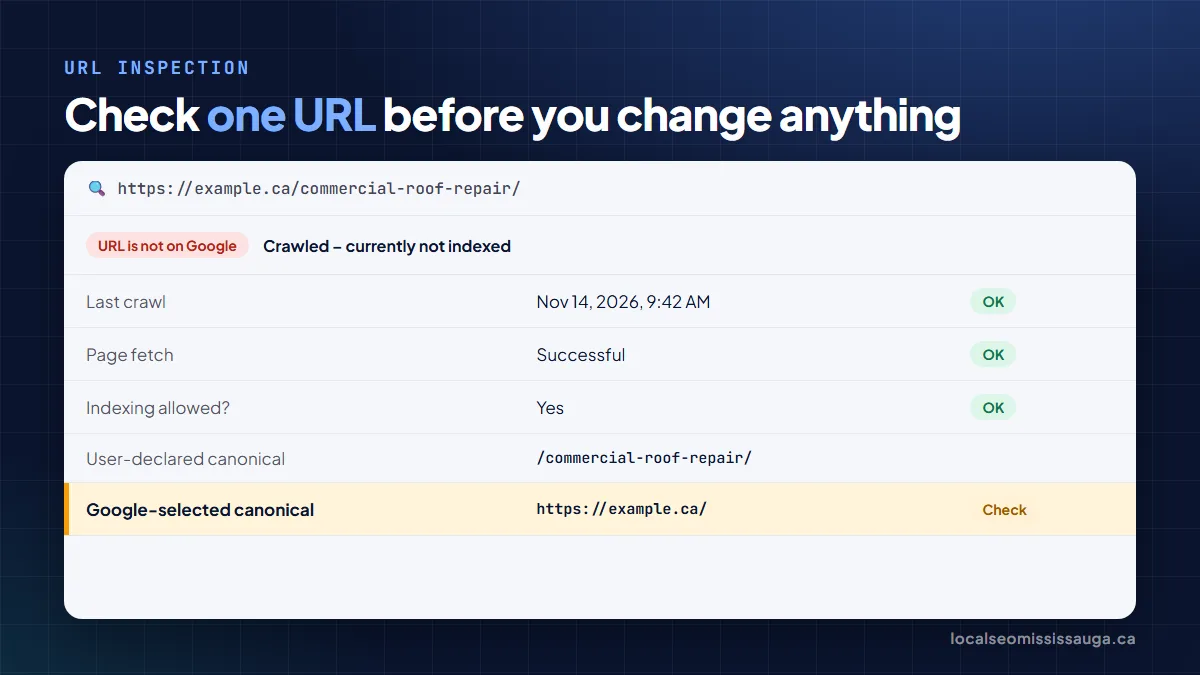
The URL Inspection tool shows how one specific page is seen by Google. Paste the URL into the search bar at the top of Search Console. Then check these details:
A different Google-selected canonical usually means your page is seen as a duplicate. If key content is missing from the rendered HTML, the problem is probably technical.
Several content and technical factors can stop a page from being indexed. The report does not name one exact reason. If you are asking why your page is not indexed by Google, review the possible causes below. Treat them as likely factors, not confirmed diagnoses.
Thin content offers little that is useful or original. Length alone does not decide this, because a short page can answer a query fully. Location pages that repeat the same copy with a new city name are a common example. Blog posts that restate what many other pages say are another.
Duplicate content appears when several URLs show the same or very similar text. Tracking parameters, filter pages and near-identical service pages are common causes. Google picks one version as the canonical. The other versions are often left out of the index.
Orphan pages have no internal links pointing to them. Without those links, Google has few signals that the page matters. Pages buried deep in your site, with few relevant links, can send similar weak signals. Google publishes no minimum number of internal links, though. The issue can appear even when the page is listed in your XML sitemap.
A page can be well written and still miss what searchers need. For example, people searching for prices want prices, not your company history. If your page does not match the search intent, Google may favor other pages. Treat this as a possible factor rather than a confirmed cause.
Some websites load their main content through JavaScript. Google may not see all of that content when the page is rendered. As a result, a page that looks complete in your browser can look nearly empty to Google.
A soft 404 is a page that loads normally but looks empty or unavailable. Out-of-stock product pages with no content are a common example. Empty category pages and "no results" pages are similar. Clear cases are usually reported under a separate "Soft 404" status. Pages close to that line can still appear as crawled but not indexed.
Use this table to match what you find to your next step.
| What you find | What to check or do |
|---|---|
| Very little original content | Improve the page's usefulness |
| Several similar pages | Review canonical URLs and consolidation |
| Few relevant internal links | Add contextual internal links |
| Important text missing from rendered HTML | Investigate JavaScript rendering |
| Page appears empty or unavailable | Check for soft 404 issues |
| No obvious problems | Monitor and reassess page value |
Fixing these pages takes both content work and technical checks. The order of the work matters too. At Local SEO Mississauga, every project follows the six stages below.
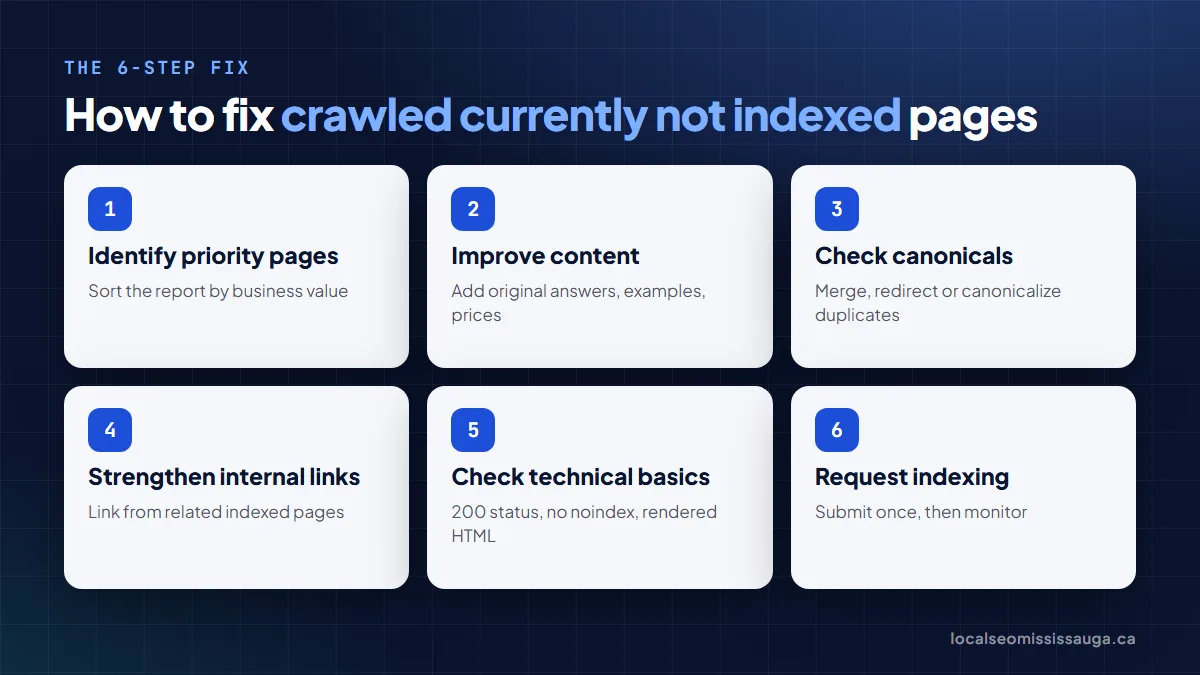
Not every URL in the report deserves your time. We export the full list from your page indexing report. Each URL is then sorted by its value to your business:
The rest are marked for later review or left alone. You get a short priority list, and no budget is spent on low-value pages.
Each priority page is compared with the pages already ranking for the same search. We then plan what your page is missing. That usually means clearer answers, original examples, prices or photos.
More words alone will not fix the problem. Your page needs to offer something searchers cannot easily find elsewhere. Our on-page SEO work covers the headings, structure and copy behind that.
We compare your declared canonical with the one selected by Google. A mismatch means another URL is seen as the main version. Clear duplicates are often reported under a separate canonical status, so treat this as one diagnostic check.
Where two pages truly duplicate each other, they are merged into one stronger page and the weaker URL is redirected. Pages that serve different needs stay separate. Where variations must stay, such as filter pages, their canonical tags point to the main page. Each setup follows Google's canonical guidelines.
Your site's internal links are mapped, and orphan pages are flagged. We add links from related pages that are already indexed. Descriptive anchor text, such as "commercial roof repair," works better than "click here."
These links show Googlebot which pages matter most. They also help your visitors find those pages.
Our technical SEO team checks that each priority page can be accessed and read:
Clear blocks, such as a noindex tag, usually appear under their own status. Checking them still rules out mixed signals. Crawl budget only matters for very large or frequently updated sites, so most small business websites can skip it. Our guide to robots.txt and XML sitemaps covers those two files in more detail.
Once the changes are live, indexing is requested for each priority URL. When one reported issue affects many pages, we use Validate fix instead.
Google says that requesting a crawl does not guarantee indexing. Repeat requests do not speed it up either. So each URL is submitted once and then monitored.
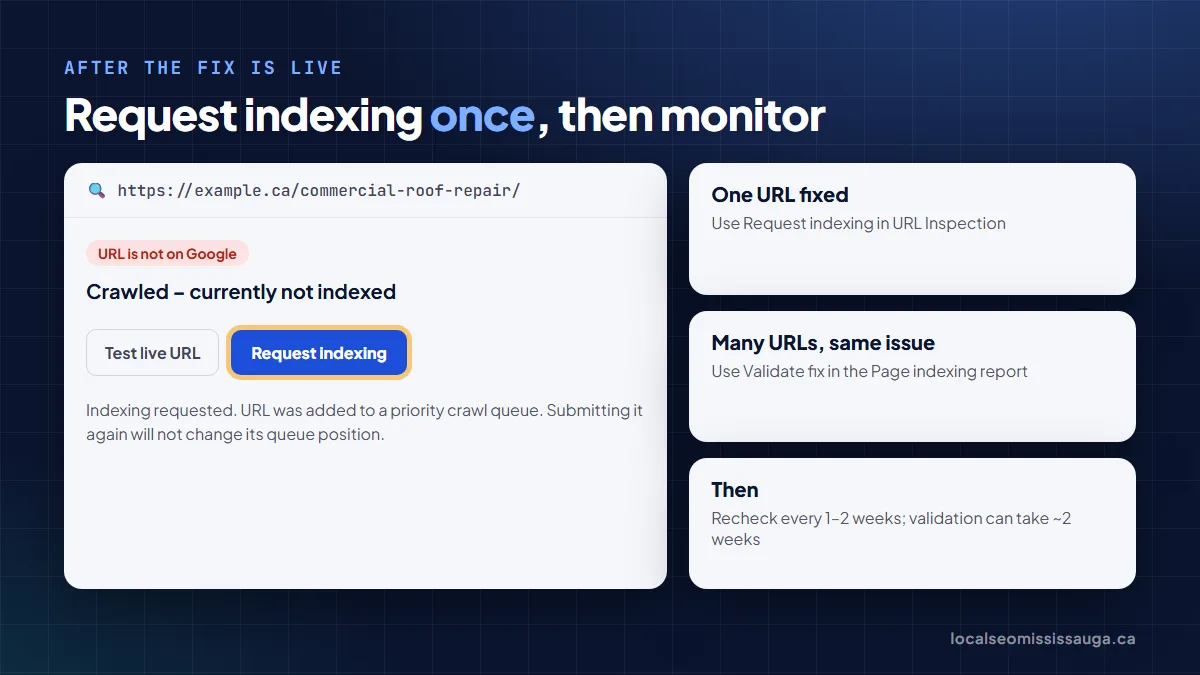
Validate fix is not a bulk indexing request. Instead, the tool asks Google to confirm that a reported issue is resolved. Validation typically takes up to about two weeks, according to Google. Sometimes it takes longer. We track each page in URL Inspection and report back as its status changes.
Hypothetical example: A roofing company finds its "commercial roof repair" page listed as crawled currently not indexed. URL Inspection shows that Google selected the homepage as the canonical. The page repeats most of the homepage text. The page is rewritten with project photos, a pricing guide and answers to common questions. Three related blog posts are then updated to link to it. After indexing is requested, the page stands a better chance at Google's next recrawl.
The two statuses sit at different stages. "Discovered – currently not indexed" means Google found the URL but has not crawled it yet. Google sometimes delays the crawl to avoid overloading your site, but other reasons are possible.
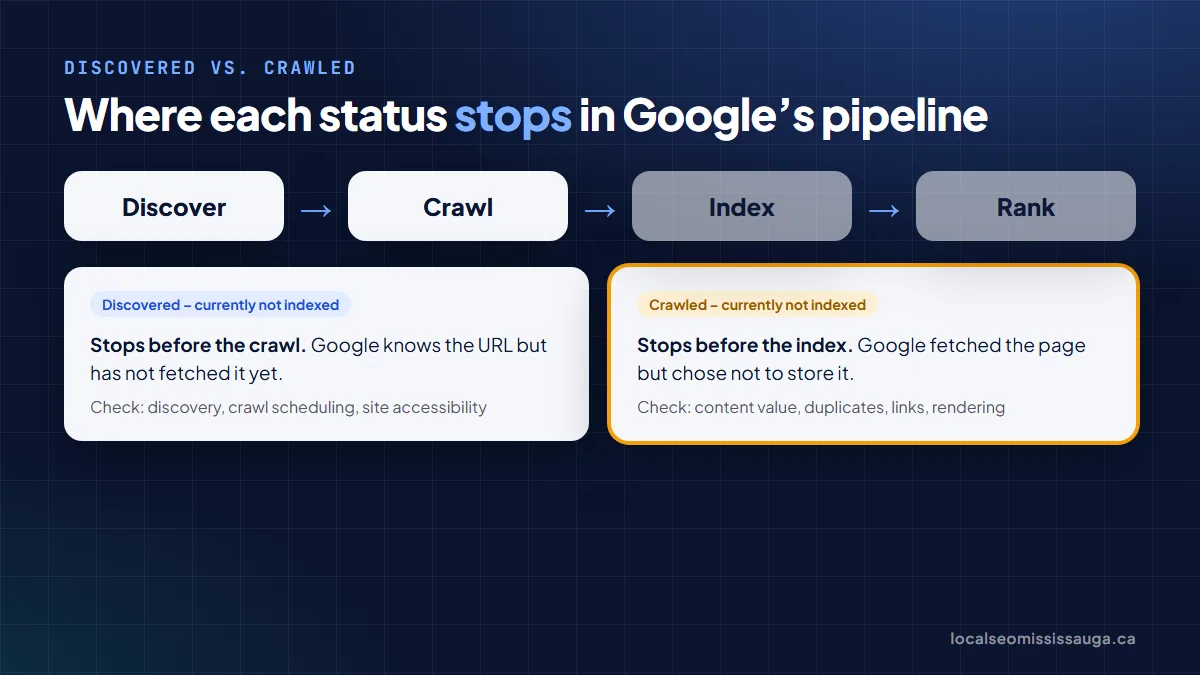
| Crawled – currently not indexed | Discovered – currently not indexed |
|---|---|
| Google has fetched the URL | Google knows the URL but has not crawled it |
| Indexing has not occurred | Crawling has not occurred |
| Investigate content, indexing signals and rendering | Investigate discovery, crawl scheduling and site accessibility |
You can ignore the status for URLs that do not need to rank. Google says not every URL on your site is expected to be indexed. Duplicate URL variations and low-value pages often do not need their own place in the index.
Common examples include:
Your goal is simple. Focus on your important, indexable pages, not every URL Google happens to crawl.
Recrawling can take anywhere from a few days to a few weeks. Indexing is never guaranteed, even after a fix. Google prioritizes useful pages, so the quality of your changes matters most.
Recheck the page in URL Inspection every week or two. Once it is indexed, open the Performance report in Search Console. Impressions and clicks for that URL show whether the fix is working.
No, the status is an indexing decision, not a penalty. Penalties are reported separately in the Manual actions section of Search Console.
Yes, Google recrawls pages on its own schedule. A page can be indexed without any request from you. Requesting indexing simply asks Google to look again sooner.
No, a sitemap helps Google discover your URLs. The decision to index each page is still made by Google. List only the canonical pages you want in search.
New posts can simply take time to be indexed. Few internal links or a topic that is already well covered may play a part. Linking from related posts and adding an original angle can help.
Yes, pages are reassessed by Google over time. Changes to the page, a new canonical choice or a fresh assessment of its value can all play a part.
An unindexed page cannot rank at all. However, the status does not directly lower rankings for your other pages. If many key pages are affected, a review of your wider site can help.
A "crawled – currently not indexed" status tells you Google has not indexed a page yet. The fix starts with a clear diagnosis of each important URL. Content, canonicals and internal links are then improved where needed. After that, Google is given time to reassess the page.
Are many of your key pages affected? Our SEO audit checks indexing, content and technical issues together. You can also book a free strategy call to talk through your results.
Disclaimer: The information provided in this blog is for general informational purposes only. For professional assistance and advice, please contact experts.
Get a free SEO audit and a clear, prioritized plan for your Mississauga business — no long-term contract required.
Get a Free SEO Audit· 8 min read
See what an HTTP 401 error means, how it differs from 403 and how users or developers can fix authentication problems. Check the steps now.
Read article· 11 min read
Improve brand mentions in ChatGPT, Gemini and AI Overviews with stronger entities, citations and answer-ready content. Use the 2026 checklist.
Read article· 14 min read
Build a keyword plan around search intent, competition and business value, then map terms to the right pages. Follow the step-by-step process.
Read article